Best Internal Link Checker Tools: Which One Fits Your Site?
The best internal link checker depends on what you need to fix. If you work on a WordPress site and want to find issues and make changes from one workflow, LinkBrainly is built for that use case. If you need a deep technical crawl, Screaming Frog or Sitebulb may suit you better.
An internal link checker can help you find broken links, orphan pages, pages with few incoming links, deep pages and unclear anchor text. Some tools also suggest where to add links. Those features solve different problems, so “best” depends on your site, platform and workflow.
People asking Reddit for internal linking tools often describe one of three needs: finding broken links across older pages, understanding how pages connect, or getting more relevant link suggestions. One discussion also raised a common concern: automated suggestions can be irrelevant or use poor anchor text. The right tool should make those problems easier to solve without asking you to accept every recommendation blindly.
Quick Answer: Which Internal Link Checker Is Best?
| Your need | Tool to consider | Why |
|---|---|---|
| Audit and fix link issues on WordPress | LinkBrainly | Checks posts, pages and WooCommerce products; supports internal link suggestions, broken links, orphan pages and undoable changes |
| Detailed technical crawl data | Screaming Frog SEO Spider | Provides crawl-based link data, including inlinks, outlinks and crawl depth |
| Visual audit reporting | Sitebulb | Organizes link data into reports and visualizations, with checks for broken links, depth, anchors and orphan pages |
| Check one page quickly | A page-level link analyzer | Useful for a quick inspection, but may not show the full site structure |
This is a use-case comparison, not a universal ranking. Choose based on the work you need the tool to do.
What Does an Internal Link Checker Do?

An internal link checker examines links that point from one page on your website to another. Depending on the tool, it may report:
Broken internal links: Links that lead to unavailable or error pages.
Redirected links: Links that pass through a redirect before reaching their destination.
Incoming links: Links from other pages pointing to a page.
Outgoing links: Links a page points to.
Orphan pages: Pages that cannot be reached by following internal links.
Crawl depth: How many link steps separate a page from the crawler’s starting point.
Anchor text: The visible words people click.
Link opportunities: Existing content that could link to a relevant page.
Google recommends crawlable links with descriptive anchor text. It also recommends that pages you care about can be reached through links from other pages on your site. An internal link checker can help find issues to review, but a report is not a substitute for deciding whether a link helps the reader.
Best Internal Link Checker Tools by Use Case
LinkBrainly: Best for WordPress Users Who Want to Audit and Fix

LinkBrainly is designed for WordPress site owners who want to find internal linking and SEO issues and work through fixes inside WordPress. Its current WordPress.org listing says it audits published posts, pages and WooCommerce products. It can surface orphan pages and broken internal links, suggest links inside existing text, and keep an activity log with undo options.
That makes it a practical fit when the job is not only to export a report, but also to review and act on link issues without switching tools. LinkBrainly also supports edits to vague link text such as “click here” and “read more.”
Best for: WordPress publishers and site owners who want an audit-and-fix workflow.
Check before choosing: Link suggestions still need editorial review. Confirm that a proposed link fits the sentence and that its anchor text accurately describes the destination.
Disclosure: LinkBrainly is our product. We have a commercial interest in this comparison. Review the LinkBrainly WordPress plugin listing and test it against your own content before deciding whether it fits.
Screaming Frog: Best for Detailed Crawl Data
Screaming Frog SEO Spider is a crawler for technical site audits. Its internal linking guidance describes using crawl data to examine link depth, unique inlinks and link opportunities. It is useful when you want detailed data across many URLs and are comfortable working through crawl reports.
Best for: Technical SEO audits, agencies and larger sites that need detailed crawl data.
Check before choosing: A crawler gives you diagnostic data; you still need to decide which links to add, update or remove.
Sitebulb: Best for Visual Audit Reports
Sitebulb organizes internal link data in reports and visualizations. Its documentation covers broken and redirected internal links, pages with low incoming links, link depth, anchor text and orphan page discovery using additional URL sources such as sitemaps or Search Console.
Best for: SEO teams that want to explore site structure through organized reports and visualizations.
Check before choosing: Orphan-page discovery depends on the URL sources included in the audit. A crawler that only follows links may miss pages it cannot discover.
A Page-Level Link Analyzer: Best for a Quick Check
A browser-based analyzer can be useful when you want to inspect internal links on one page without setting up a full crawl. It may show destinations, anchor text or link status for that page.
Best for: A quick spot check or a small site with occasional audit needs.
Check before choosing: A single-page check may not reveal site-wide issues such as orphan pages, crawl depth or link distribution.
How to Choose the Best Internal Link Checker for Your Website
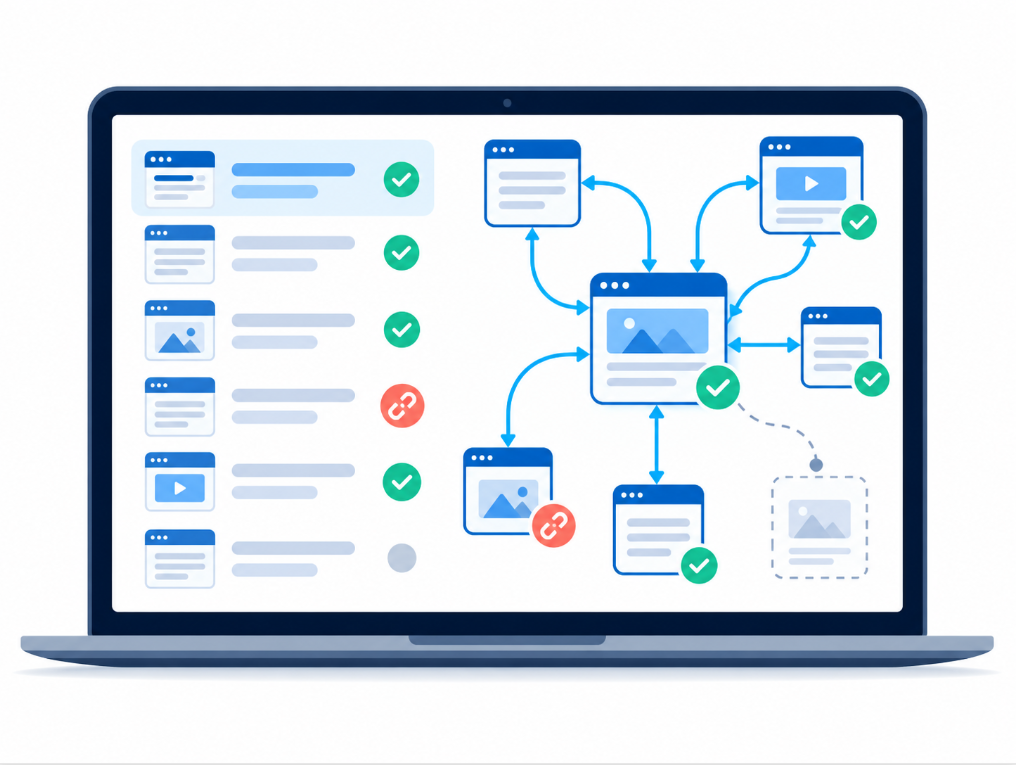
Before choosing a tool, answer these questions:
What problem are you trying to solve? Broken links, orphan pages, weak internal link coverage and irrelevant suggestions require different checks.
How many URLs do you need to review? A one-page checker and a site crawler are built for different scales.
What platform does your site use? Confirm that the tool can inspect the content and URLs you need to audit.
Do you need suggestions, fixes or only a report? Some tools focus on diagnosis, while others help you act on findings.
Can you verify the results? Look for enough context to review the source page, destination page, anchor text and link status.
Can you undo changes? If a tool edits content, a clear revision or undo process can reduce the risk of a bad change.
Don’t choose a tool based only on how many issues it reports. A long list of weak recommendations can create more review work than it saves.
How to Run a Practical Internal Link Audit
1. Crawl your site and include your sitemap
Start from your homepage and crawl the site. If the tool supports it, add your XML sitemap as a URL source so you can compare the pages in the sitemap with the pages the crawl discovers.
2. Fix broken and redirected internal links
Review links that lead to error pages or unnecessary redirects. Update the source page to point to a current, relevant destination. If the old page has no suitable replacement, remove the link or choose a destination that genuinely helps the reader.
3. Review links to important pages
Identify your key guides, product pages, categories or service pages. Check whether related pages link to them naturally. A page with few incoming links may deserve attention, but a low count alone does not prove that it needs more links.
4. Look for important pages buried deep in the site
Review crawl depth for important pages. If a page takes many steps to reach, consider linking to it from a relevant page that visitors can find more easily. Avoid treating one depth threshold as a rule for every site; the goal is to make important content accessible.
5. Check anchor text and context
Review whether anchor text tells visitors what they will find after clicking. Then read the surrounding sentence. A link is useful when the destination adds something relevant to the conversation, not merely because a tool found a matching phrase.
6. Confirm possible orphan pages
Compare the crawl with other URL sources, such as your sitemap or Search Console data, if your tool supports them. Pages found in those sources but not through the internal crawl may be disconnected. Decide whether each one should be linked, updated, redirected or removed.
What Should You Test Before Choosing a Tool?
Run a small, repeatable test before adopting an internal link checker:
Does it find a broken link you already know about?
Does it identify an important page with weak internal connections?
Does it show enough information to review a suggested change?
Are its suggested destination and anchor text relevant in context?
Can you make or export a fix without repeating work elsewhere?
Can you undo edits if something goes wrong?
For WordPress users, LinkBrainly is worth evaluating when the goal is to find and work through link issues in the WordPress workflow. For highly technical crawl analysis, compare its output with a dedicated crawler such as Screaming Frog or Sitebulb. The tool that fits your workflow best is the one that produces findings you can verify and act on.
The Takeaway
The best internal link checker is the one that fits the problem you need to solve. Use a site crawler for detailed technical audits, a visual analyzer to explore link relationships, or a WordPress workflow such as LinkBrainly when you want to review and work through fixes inside WordPress.
Start with a small set of important pages, verify the findings, and prioritize changes that make useful content easier to reach. More links are not automatically better; relevance and clear navigation matter.
Start with the LinkBrainly website audit to check up to 200 pages for internal link and SEO issues. Follow LinkBrainly on LinkedIn for more website audit and SEO guidance.
Disclosure: This article is published by the LinkBrainly team. LinkBrainly is our product, and we have a commercial interest in its inclusion. Follow our Blog for more
Frequently asked questions
What is the best internal link checker?
There is no single best tool for every website. LinkBrainly is built for WordPress users who want auditing and fixes in one workflow. Screaming Frog and Sitebulb are strong options to evaluate for detailed crawl audits and reporting.
Can an internal link checker find broken links?
Many internal link checkers and site crawlers can report broken internal links. Check that the report identifies both the broken destination and the page containing the link so you can fix the right source.
Can an internal link checker find orphan pages?
Some tools can help identify orphan pages, but a crawl that only follows links may miss pages it cannot discover. Comparing crawl results with a sitemap or another URL source can make the check more complete.
Is an internal link checker the same as an internal linking tool?
Not always. An internal link checker usually focuses on auditing existing links. An internal linking tool may also suggest where to add links or help you implement changes.
Do internal link suggestions need manual review?
Yes. Review the destination, sentence, and anchor text before adding a suggested link. A recommendation can match a keyword while still being irrelevant to the reader.