An internal linking strategy is a plan for which pages on your website link to which other pages, and with what anchor text, so that search engines understand your topics and your most important pages get the most link value. A good linking strategy groups pages into topic clusters, links every important page from relevant body text, uses descriptive anchors, and keeps every page within three clicks of the homepage.
This guide gives you a step-by-step linking strategy you can apply to a blog, an online store or a business website, plus the mistakes to avoid and a checklist to keep it working as your site grows.
Why Does an Internal Linking Strategy Matter?
Internal links are the only links on the web you fully control. Without a plan, they grow by accident: new posts get published with no links, old pages collect links they don't deserve, and important pages end up buried. An internal linking strategy turns those links into a deliberate signal.
- Discovery. Googlebot finds new pages mainly by following links. Pages with no internal links are found late or not at all.
- Importance. Pages that receive more links from relevant pages are treated as more important. Your strategy decides which pages those are.
- Context. Anchor text and the sentence around a link tell Google what the destination page is about.
- Conversions. Readers follow links to the next useful page. A blog post that links to the right product or service page turns readers into customers.
I started LinkBrainly after fixing internal links by hand on a large online store. The pages that sold best were rarely the ones with the most internal links, and fixing that mismatch was one of the fastest SEO wins we had.
What Makes a Good Internal Linking Strategy?
A good linking strategy has five parts:
- Topic clusters: related pages grouped around one pillar page.
- Priority pages: a short list of pages that should receive the most links.
- Contextual links: links placed inside body text, not only in menus and footers.
- Descriptive anchors: words that describe the destination, varied naturally.
- Maintenance: a regular audit for orphan pages, broken links and new content.
How to Build an Internal Linking Strategy in 7 Steps
Step 1: List Your Pages and Their Goals
Start with a full list of the pages you want to rank: from your sitemap, your CMS or a crawl. Next to each page, note its type (pillar, article, product, category, service, landing page) and its goal (traffic, leads, sales). You can't plan links between pages you haven't listed.
Step 2: Choose Your Priority Pages
Pick the 10 to 20 pages that matter most to the business: your best-selling products and categories, service pages, and pillar guides. These pages should receive the most internal links. Pages that already rank on page two of Google are good candidates, because extra internal links can push them onto page one.
Step 3: Group Pages Into Topic Clusters
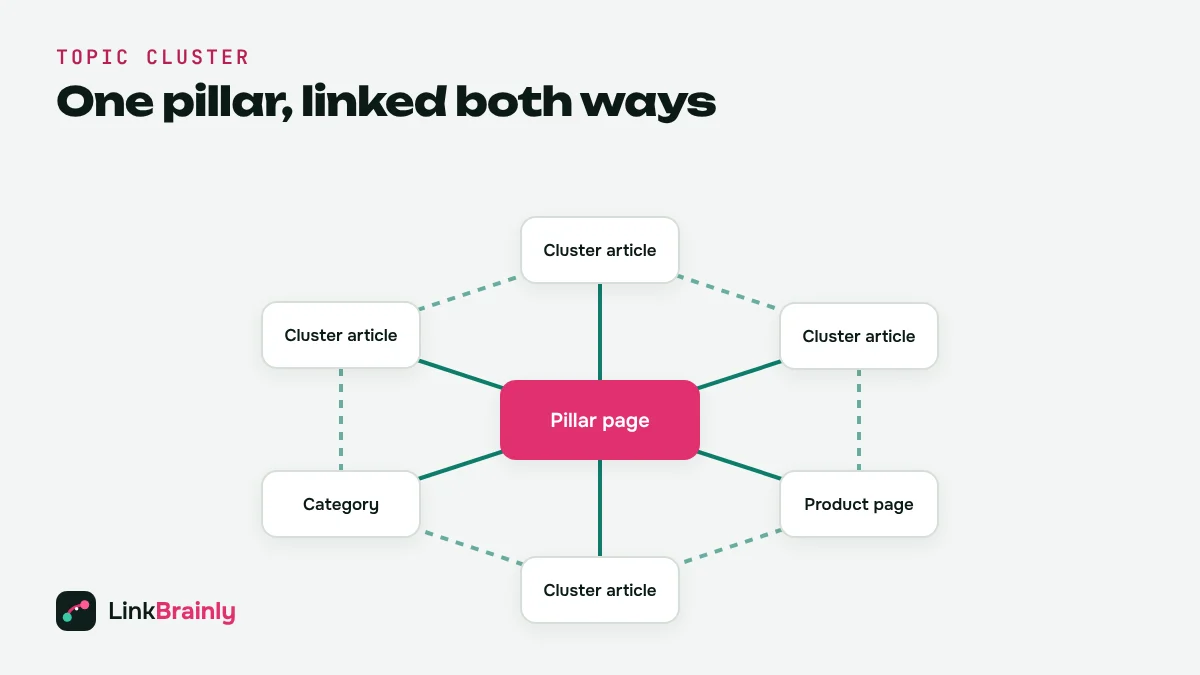
Group related pages around one broad topic. Each cluster has one pillar page that covers the topic broadly, and several cluster pages that cover one sub-topic each. For example, an online dry fruit store might have a pillar page on "dry fruits for gifting" with cluster articles on Diwali hampers, corporate gifts and wedding gift boxes.
Step 4: Link Pillars and Clusters Both Ways
The core of any internal linking is this pattern:
- The pillar page links to every cluster page in its topic.
- Every cluster page links back to the pillar page.
- Cluster pages link to two or three closely related siblings.
- Articles link to the products, categories or services they mention.
Avoid linking every page to every other page. Links work best when they are relevant to the sentence they sit in.
Step 5: Write Descriptive Anchor Text
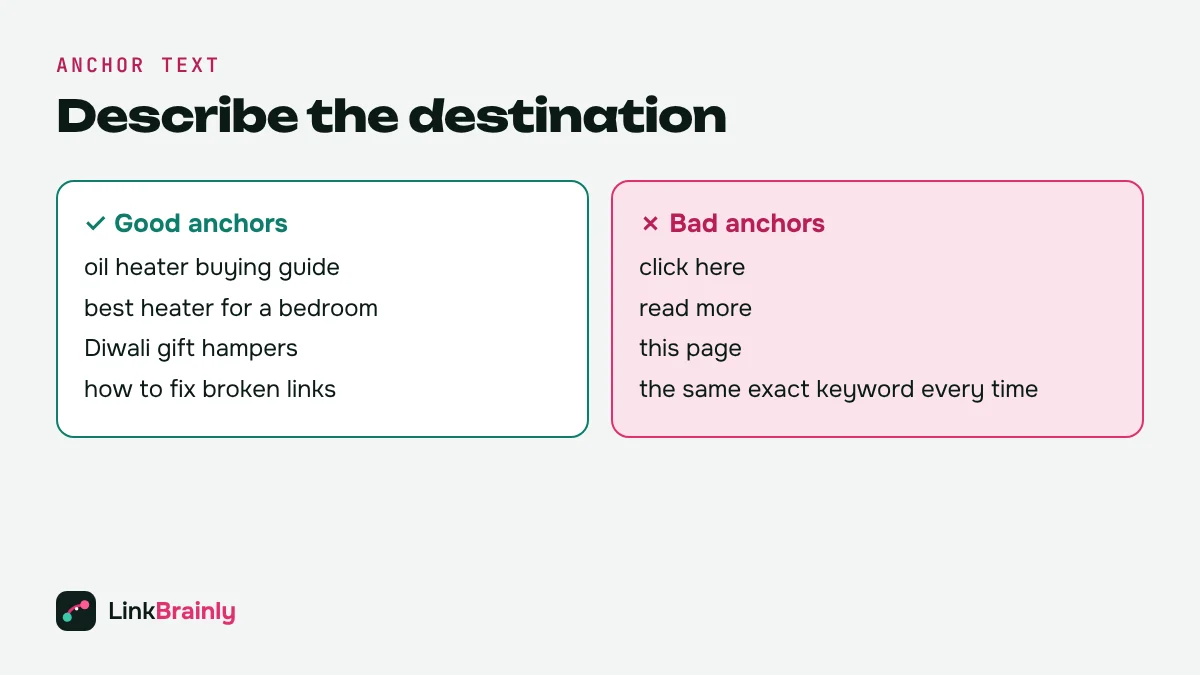
Anchor text is the clickable text of a link. Use words that describe the destination page, such as "oil heater buying guide" instead of "click here" or "read more". Vary anchors naturally: the same exact-match keyword on every link looks unnatural, while partial matches and natural phrases read better and still give Google context.
Step 6: Keep Important Pages Within Three Clicks
Every page you want to rank should be reachable within three clicks of the homepage. Use the main menu for your top categories, link categories to their products or articles, and add "related" links at the bottom of posts. Deep pages that take five or six clicks to reach are crawled less often and usually rank lower.
Step 7: Link Every New Page on Publish
Most internal linking problems come from new content. Make this a rule: every new page links to two or three related existing pages, and two or three existing pages are updated to link back to it on the same day. This single habit stops orphan pages from appearing.
Internal Linking Strategy for Blogs, Stores and Service Sites
The same principles apply everywhere, but the priority pages change with the type of site.
Blogs and Content Sites
Build clusters around your main topics and make pillar guides the most-linked pages. Add a short "Also Read" section at the end of each article that links to related posts, so no article is left without links.
Online Stores (Shopify, WooCommerce)
For an e-commerce internal linking, categories and best-selling products are the priority pages. Link buying guides and blog posts to the collections and products they mention, add links between related collections, and make sure every product sits in at least one collection. On Shopify, the LinkBrainly Shopify app suggests links between products, collections, pages and blog posts with ready-written anchor text.
Service and Local Business Sites
Service pages and location pages are the priority. Link case studies, FAQs and blog posts to the matching service page, and link each service page to its related services and locations.
Internal Linking Strategy Mistakes to Avoid
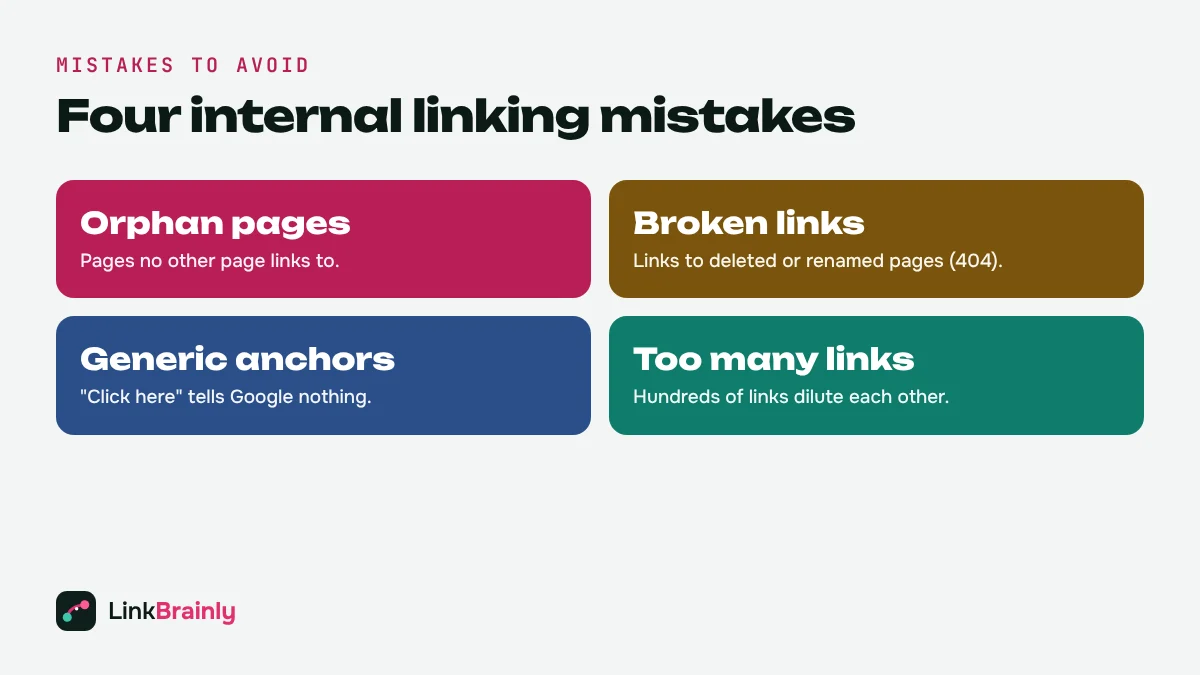
- Orphan pages. Pages with no internal links at all, often new posts or products removed from collections.
- Broken internal links. Links to deleted or renamed pages that return a 404 error. See our guide to broken internal links to find and fix them.
- Generic anchors. "Click here", "read more" and "this page" tell search engines nothing.
- Linking only from menus and footers. Site-wide links help navigation but carry little topic context.
- Too many links on one page. Hundreds of links dilute each other and overwhelm readers. Keep links relevant.
- Links to redirects. Update internal links that point at redirected URLs so they go straight to the final page.
How to Measure Your Internal Linking Strategy
Track three things after you make changes:
- Internal links per priority page. Your most important pages should have the most in-content links.
- Orphan pages and broken links. Both should trend to zero.
- Rankings and clicks. In Google Search Console, compare clicks and average position for each priority page for 28 days before and after you add links. The free LinkBrainly SEO dashboard logs each change as a task and shows this before-and-after comparison for you.
Expect changes within a few weeks of Google re-crawling the pages, not overnight.
How AI Helps with Your Internal Linking Strategy
Planning links by hand works for a 20-page site. It breaks down at a few hundred pages, because nobody can remember which of 300 posts mention a topic. AI internal linking tools read every page, match related topics, and find the exact sentence where a link fits naturally.
The free LinkBrainly internal link checker crawls your latest 200 pages, finds orphan pages, broken links and generic anchors, and suggests each missing internal link with the page to edit, the sentence to use and the anchor text. You approve every change, so your internal linking stays under your control.
Internal Linking Strategy Example
Here is how this linking strategy looks on a small online store that sells room heaters:
- Pillar page: "Room Heater Buying Guide", linked from the main menu and the homepage.
- Cluster articles: "Oil Heater vs Fan Heater", "Best Heater for a Bedroom" and "How Much Electricity Does a Heater Use?". Each links back to the buying guide and to one sibling article.
- Money pages: the "Room Heaters" collection and the three best-selling heaters. Every article links to the collection, and each product is mentioned and linked where it fits the text.
- New content: when the store publishes "Is It Safe to Leave a Heater On Overnight?", it links to the buying guide and the bedroom article on day one, and both link back.
The result is a tight cluster where Google sees one clear authority page for room heaters, readers always have a useful next click, and no page is left on its own.
Internal Linking Strategy Checklist
- List every page you want to rank and its goal.
- Choose 10 to 20 priority pages.
- Group pages into topic clusters with one pillar page each.
- Link pillar pages and cluster pages both ways.
- Link articles to the products, categories or services they mention.
- Use descriptive, varied anchor text.
- Keep every important page within three clicks of the homepage.
- Link every new page to and from related pages on the day it is published.
- Audit monthly for orphan pages, broken links and redirects.
Ready to see how your current internal links measure up? Run the free LinkBrainly audit. For more internal linking tips, follow LinkBrainly on LinkedIn.
Also Read
- Orphan Pages: How to Find and Fix Them
- Broken Internal Links: How to Find and Fix Them
- What Is an Internal Link?
- Best Internal Link Checker Tools
Updated October 2026 · By Vipul Chaudhary, founder of LinkBrainly