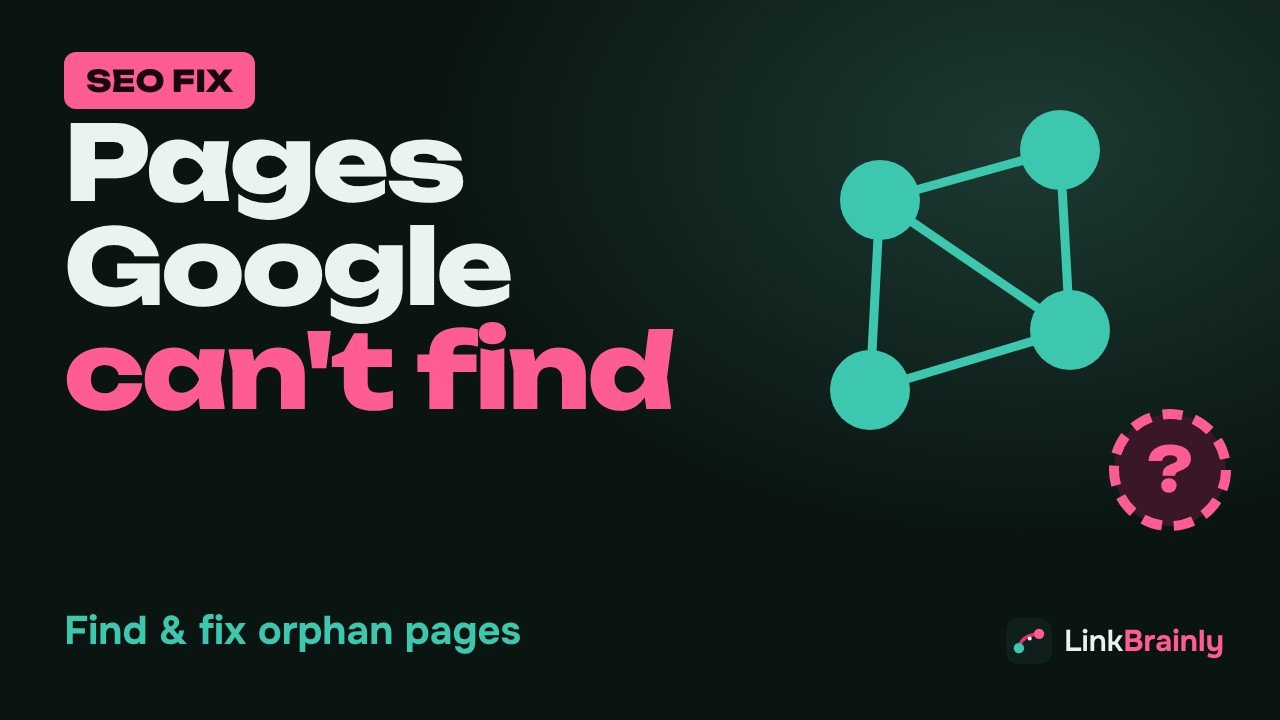
Orphan Pages Are Pages on Your Website That no Other Page Links To.
You find orphan pages by comparing the URLs in your sitemap with the URLs a crawler can reach by following links, and you fix them by adding two or three internal links from related pages.
This guide explains what is this, why they hurt SEO, four ways to find them, and a simple process to fix them for good on WordPress, Shopify or any other website.
What Are Orphan Pages?
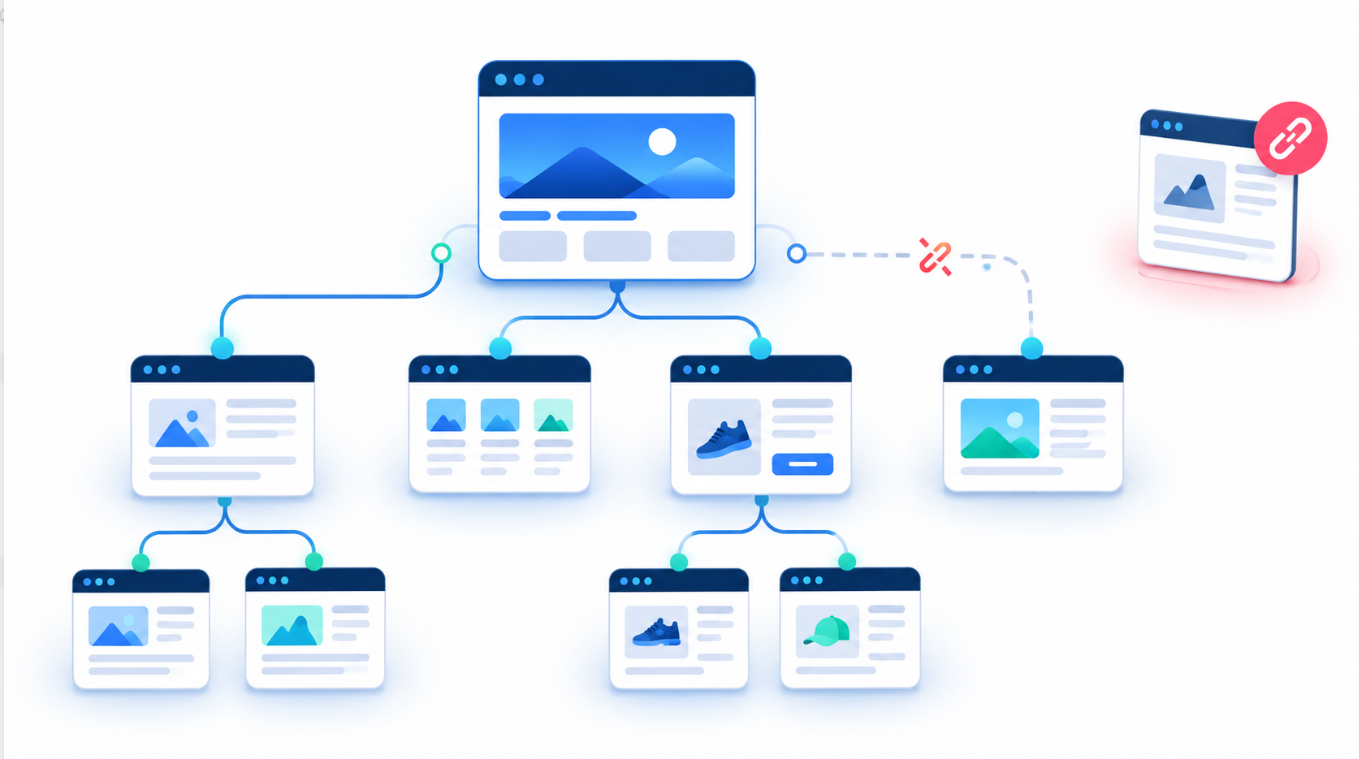
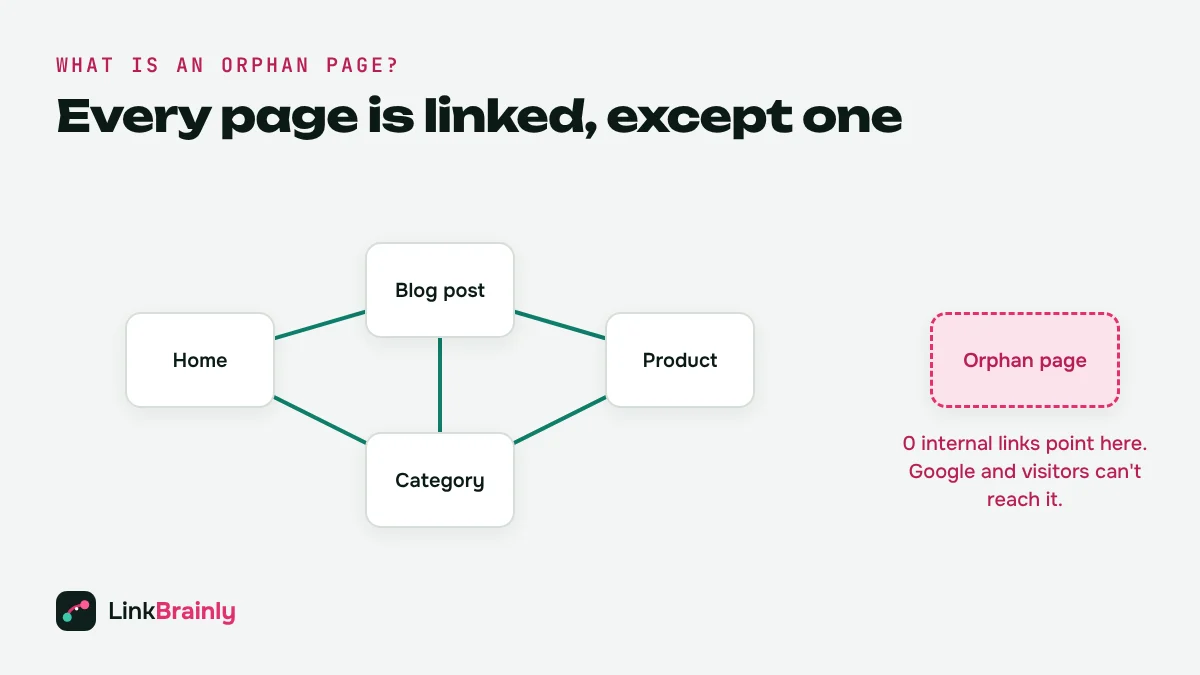
An orphan page is a page that is published and live, but has zero internal links pointing to it from the rest of the same website. It isn't in the menu, it isn't linked from a blog post, a category or a product, and no "related posts" block shows it.
The only ways to reach an orphan page are typing its exact address, finding it in the XML sitemap, or arriving from an outside source such as an ad, an email or a backlink. Inside the site itself, the page is cut off.
Orphan pages are different from pages with "few" links. A page with one internal link is weak but still connected. A page with zero internal links is an orphan, and that is the problem this guide solves.
Why Do Orphan Pages Hurt SEO?
Orphan pages hurt SEO for three reasons: Google finds them late, Google treats them as unimportant, and they never pass or receive any link value.
Google Discovers Pages by Following Links
Googlebot moves through a website by following links from page to page. A sitemap helps, but Google's own documentation says it uses links as a main way to find new pages. Orphan pages give Googlebot no path in, so they are crawled less often and can take a long time to be indexed.
Internal Links Signal Importance
Pages that receive many internal links from relevant pages look important to search engines. Pages receive none, which tells Google that even the site owner doesn't think the page matters. That is why these pages often sit on page five of the results while weaker, well-linked pages rank above them.
Anchor Text Gives Context
The clickable words of an internal link, the anchor text, tell Google what the destination page is about. Pages without links miss this context completely, so Google has to guess the topic from the page alone.
Visitors Can't Find Them Either
Unlinked pages are also a user problem. A buyer reading your blog post about room heaters never sees your best heater buying guide if nothing links to it. Every orphan page is content you paid to create that almost nobody reads.
What Causes Orphan Pages?
Most orphan pages are created by accident. The common causes are:
- New blog posts published without links. The post goes live, but no older article is updated to link to it.
- Site redesigns and migrations. Old menus and category pages are removed, and the pages they linked to lose their only link.
- Products moved out of collections. On Shopify, a product removed from every collection can lose every internal link even though it is still on sale.
- Landing pages built for ads. Campaign pages are often kept off the menu on purpose. These are fine if they are set to noindex, and a problem if they are meant to rank.
- Pagination and filters. Pages that are only reachable through a search box or a JavaScript filter look like orphans to a crawler.
- Old URLs left in the sitemap. A page that was replaced but never redirected can stay in the sitemap as an orphan.
I built LinkBrainly after fixing internal links by hand on a large online store, and redesigns and forgotten blog posts were the biggest sources of unlinked pages there.
How Do You Find Orphan Pages?
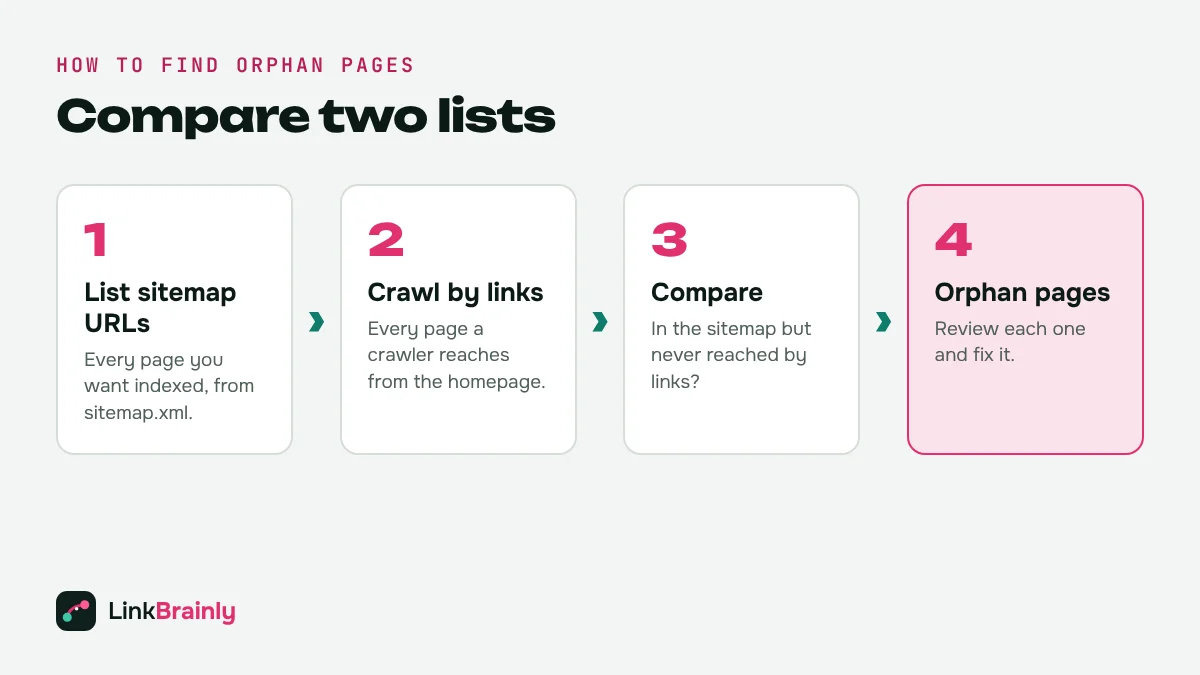
To find these pages, you need two lists: every URL your site wants indexed, and every URL a crawler can reach by following links. Any URL on the first list that is missing from the second list is an orphan page. Here are four ways to build those lists.
Method 1: Use an AI Internal Link Checker
The fastest way is a tool that does the comparison for you. The free LinkBrainly AI internal link checker crawls your latest 200 pages, reads your sitemap, and lists every orphan page with its title and URL. It also suggests which existing pages should link to each orphan page, with the exact sentence and anchor text to use. You only need an email address, no account, or password.
Method 2: Compare Your Sitemap With a Crawl
You can do the same comparison yourself:
- Download the URLs from your XML sitemap (usually at yourdomain.com/sitemap.xml) into a spreadsheet.
- Crawl your site with a crawler that follows links only, and export the list of URLs it found.
- Put both lists side by side and use a lookup formula, such as COUNTIF or VLOOKUP, to flag sitemap URLs that the crawl never reached.
- Remove URLs that are meant to be hidden, such as thank-you-pages, then review the rest.
This method works on any website, but it takes longer and the crawler must not start from the sitemap, or it will reach every page and show none at all.
Method 3: Check Google Search Console
Google Search Console doesn't have an "orphan pages" report, but it helps. In the Pages report, look at URLs under "Discovered – currently not indexed" and "Crawled – currently not indexed". Many of those have no internal links or very few. In the Links report, the "Internal links" table shows how many internal links Google has counted for your top pages, so pages missing from it are worth checking.
Method 4: Look at Your Analytics
In Google Analytics 4, landing pages that get visits only from ads, email, or social, and never from internal navigation, can be orphan pages. This method finds pages that receive traffic but are disconnected from the rest of the site.
How Do You Fix Orphan Pages?
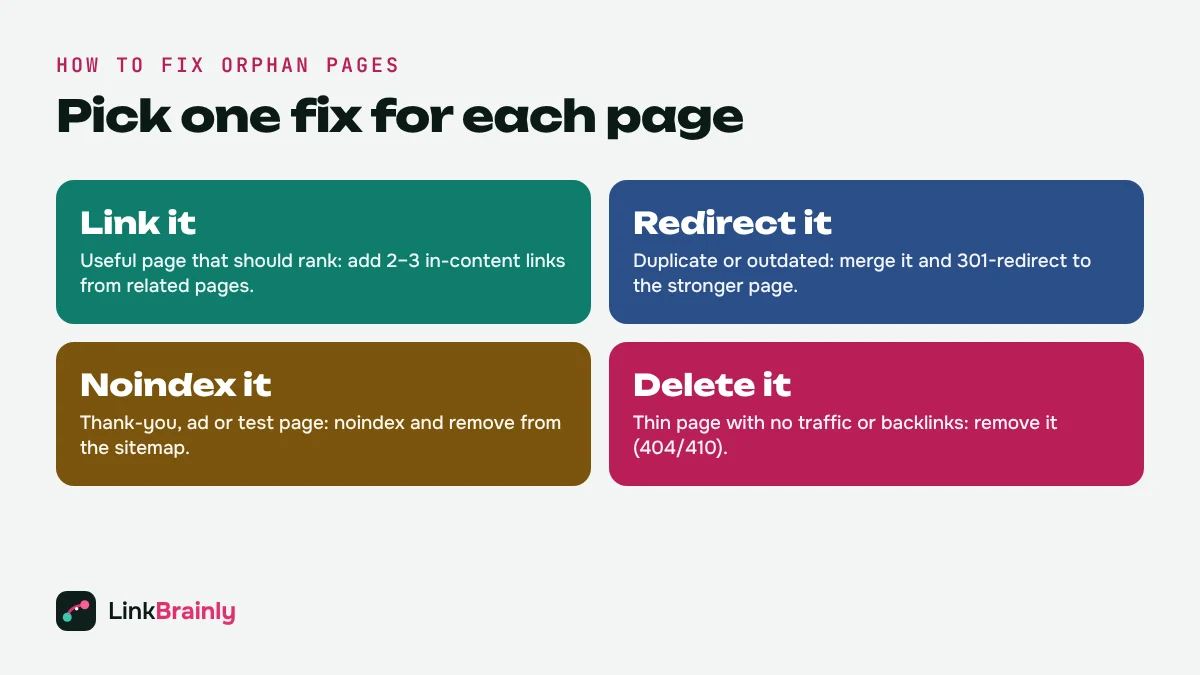
You fix these pages by deciding what each page deserves: links, a redirect, a noindex tag, or deletion. Go through your list one page at a time and pick one of these four options.
1. Link It: Keep and Connect Useful Pages
If the page is useful and should rank, add two or three internal links to it from closely related pages. Put the links inside the body text, not only in the footer, and use descriptive anchor text such as "oil heater buying guide" instead of "click here". Also link to it from its category, collection, or hub page so it stays connected after future edits.
2. Redirect It: Merge Duplicate or Outdated Pages
If the orphan page covers the same topic as a stronger page, merge the useful content and add a 301 redirect from the orphan URL to the stronger page. This keeps any backlinks the orphan page earned.
3. Noindex It: Hide Pages That Should Stay Private
Thank-you pages, ad landing pages and test pages don't need internal links. Add a noindex tag and remove them from the sitemap, so they stop appearing in your audit.
4. Delete It: Remove Pages With No Value
Thin, outdated pages with no traffic and no backlinks can be deleted. Let them return a 404 or 410 status and remove them from the sitemap. Then check that no other page still links to the deleted URL, or you will create a broken internal link.
How to Fix Orphan Pages on WordPress and Shopify
On WordPress, open the related posts in the editor and add links to the orphan page inside the text. The free LinkBrainly WordPress plugin shows each suggested link and adds it for you after you approve it, and it works alongside Yoast SEO and Rank Math.
On Shopify, first check that every product is in at least one collection. Then add links from blog posts and collection descriptions to these pages. The LinkBrainly Shopify app finds unlinked products, pages and blog posts and suggests links with ready-written anchor text. Every change can be undone.
How Do You Stop Orphan Pages Coming Back?
Orphan pages come back whenever content is published faster than it is linked. Three habits keep them away:
- Link on publish. Every new post links to two older related posts, and two older posts are updated to link back to it.
- Use hub pages. Each topic has one pillar or category page that links to every article in that topic.
- Re-check monthly. Run an internal link audit once a month, or after every redesign, migration or big product update. Our guide to the best internal link checker tools compares the options.
Orphan Pages Checklist
- List every URL in your sitemap.
- Crawl the site by following links only.
- Flag sitemap URLs the crawl never reached: these are your checklist.
- For each orphan page, choose: link it, redirect it, noindex it or delete it.
- Add two or three in-content links with descriptive anchor text to every page you keep.
- Update the sitemap and re-crawl to confirm zero.
Want to see how many orphan pages your site has right now? Run the free LinkBrainly audit and get the list in a few minutes. For more internal linking tips, follow LinkBrainly on LinkedIn.
Also Read
- What Is an Internal Link?
- What Is an Internal Hyperlink?
- Best Internal Link Checker Tools
- Site Audit Tool Guide
Updated October 2026 · By Vipul Chaudhary, founder of LinkBrainly
Frequently asked questions
What is an orphan page in SEO?
An orphan page is a live page that no other page on the same website links to. Search engines can only find it through the sitemap or outside links, so it is crawled less often and usually ranks poorly.
Are orphan pages bad for SEO?
Yes, when the page is meant to rank. Orphan pages get no internal link value and no anchor text context, so Google treats them as unimportant. Pages that should stay private, such as thank-you pages, can stay unlinked if they are set to noindex.
How do I find orphan pages for free?
Compare the URLs in your XML sitemap with the URLs a crawler reaches by following links. The free LinkBrainly audit does this for your latest 200 pages and lists every orphan page with suggested links to fix it.
Does Google index orphan pages?
Google can index orphan pages it finds in your sitemap or through backlinks, but it usually crawls them less often and ranks them lower than pages with internal links.
How many internal links does an orphan page need?
Two or three in-content links from closely related pages are a good start, plus a link from its category or hub page. Use descriptive anchor text instead of "click here".
How do I fix orphan pages in Shopify?
Make sure every product is in at least one collection, then link to orphan pages from related blog posts and collection descriptions. The LinkBrainly Shopify app finds unlinked products, pages and posts and suggests links with ready-written anchor text.