What Is an Internal Hyperlink? Meaning, Examples, and SEO Tips
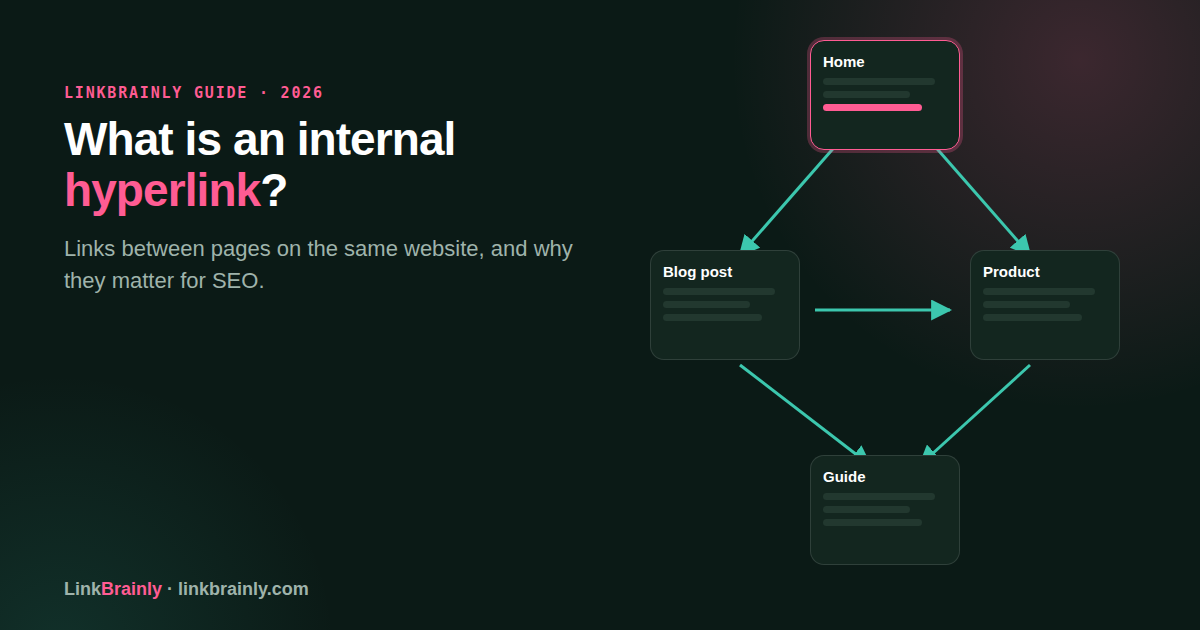
What is an internal hyperlink? It is a clickable link that takes a visitor from one page on a website to another page on that same website. A link from a blog post to a product page on the same domain is an internal hyperlink.
Internal hyperlinks help visitors find related information and help search engines discover pages. They can connect a homepage, category page, article, product, or contact page into a structure people can follow.
What Is an Internal Hyperlink?
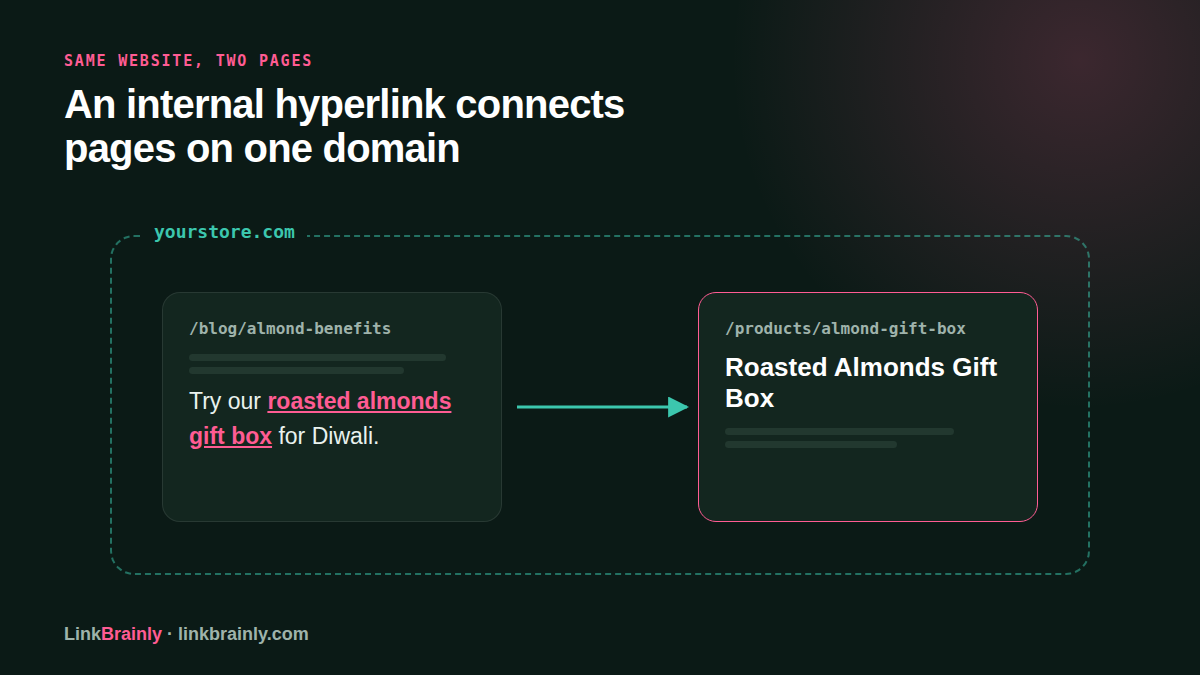
An internal hyperlink connects two URLs on the same website. For example, a link from example.com/blog/almonds to example.com/products/almonds is internal because both pages belong to the same domain.
The words people click are called anchor text. In “See our guide to what SEO means,” the linked words describe the page a visitor will reach. The link itself is the hyperlink, while the clickable words are its anchor text.
What is an internal hyperlink in practical terms? It is a way to connect pages that are useful together. A recipe can link to an ingredient page, a product description can link to a care guide, and a service page can link to an explanation of the service.
How Does an Internal Hyperlink Differ from an External Hyperlink?
An internal hyperlink points to a page on the same website, while an external hyperlink points to a different website. The destination domain tells you which kind of link you are looking at.
| Link type | Destination | Example |
|---|---|---|
| Internal hyperlink | Another page on the same website | A blog post linking to a product page on the same store |
| External hyperlink | A page on another website | A blog post linking to a government information page |
An internal hyperlink keeps a visitor inside your site as they explore. An external link takes a visitor to another domain. Both can be useful, but they serve different purposes and should describe their destinations clearly.
Do not decide whether a link is internal by looking only at the visible words. Check the destination URL and domain. A link labeled “our shipping guide” is only internal if its URL belongs to your website.
What Types of Internal Hyperlinks Appear on a Website?
Internal hyperlinks appear in several parts of a website. The placement affects how visitors use them, but every link to another page on the same site is internal.
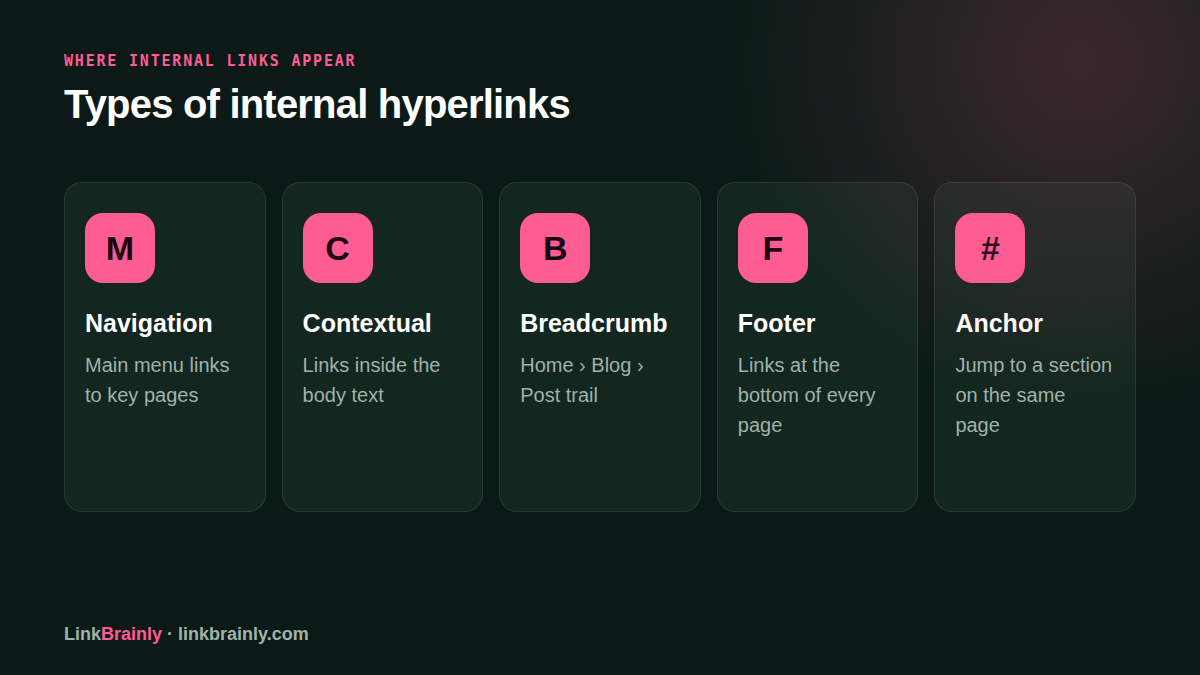
- Navigation links appear in the main menu and help visitors reach key sections.
- Contextual links sit inside a sentence or paragraph and connect a topic to a relevant page.
- Breadcrumb links show where a page sits in the site hierarchy, such as Home, Shop, Nuts.
- Related-content links suggest another article, product, or category after a visitor reads a page.
- Footer links provide access to useful site pages from the bottom of the layout.
- Anchor links move a visitor to a named section on the current page.
An internal hyperlink in a menu gives broad site navigation, while a contextual link explains a specific connection between two pages. A store might place “read our size guide” within a clothing product description because that guide answers a question a shopper may have at that moment.
A site does not need a link in every paragraph. Add a link when the destination gives the visitor a useful next step or provides information needed to understand the current page.
Why Do Internal Hyperlinks Matter for SEO?
Internal hyperlinks help search engines find pages, understand how pages relate, and identify which pages matter within a website. They also give visitors a path to relevant information without requiring them to return to the main menu.
Search engines discover many pages by following links. If a page has no internal links pointing to it, it may be harder for search engines and visitors to find. A page in this situation is often called an orphan page.
Links also create context. A sentence about choosing a protein powder can link to a product guide using anchor text that describes that guide. The surrounding text and anchor help a visitor understand why the destination may be useful.
What is an internal hyperlink worth for SEO? Its value depends on whether it helps users and connects relevant pages. Adding unrelated links or repeating the same keyword in every anchor does not make a page more useful.
Internal linking is one part of site structure, alongside clear navigation, useful page content, working URLs, and accurate page titles.
How Do You Add an Internal Hyperlink?
To create an internal hyperlink, choose a relevant destination page, select descriptive words in your content, and connect those words to the destination URL. Most website editors provide a link button that lets you paste or select the page address.
- Find a page that answers a question or supports the topic in your current page.
- Select the words that clearly describe the destination.
- Use the editor’s link control to add the destination URL.
- Save or preview the page, then test the link.
An internal hyperlink in HTML uses an anchor element with an href attribute. The href holds the destination URL, and the text between the opening and closing anchor tags becomes clickable.
For example, a simple HTML link can be written as <a href="/guides/choosing-almonds">choosing almonds</a>. The relative URL points to a page on the same domain. On WordPress, Shopify, or another website platform, you can usually add the link through the page editor without writing HTML yourself.
When you manage a WordPress site, the LinkBrainly WordPress plugin works alongside Yoast SEO, Rank Math, AIOSEO, and SEOPress. Each change can be undone. Site owners using Shopify can manage links, meta descriptions, and alt text in the Shopify admin through the LinkBrainly app.
Can an Internal Hyperlink Go to a Section on the Same Page?
Yes. An internal hyperlink can point to a section on the same page using a fragment identifier, which is the part of a URL that begins with a hash symbol. A link such as #shipping can take a visitor to an element marked with the matching ID.
Same-page links are useful in long guides with a table of contents, FAQ sections, or step-by-step instructions. The visitor clicks a heading in the contents and moves to that part of the article without loading a new page.
This kind of link still uses an internal hyperlink, but it navigates within one document instead of moving to a separate page. Give each target section a clear, unique identifier, and test the jump link on desktop and mobile.
How Should You Write Anchor Text for Internal Links?
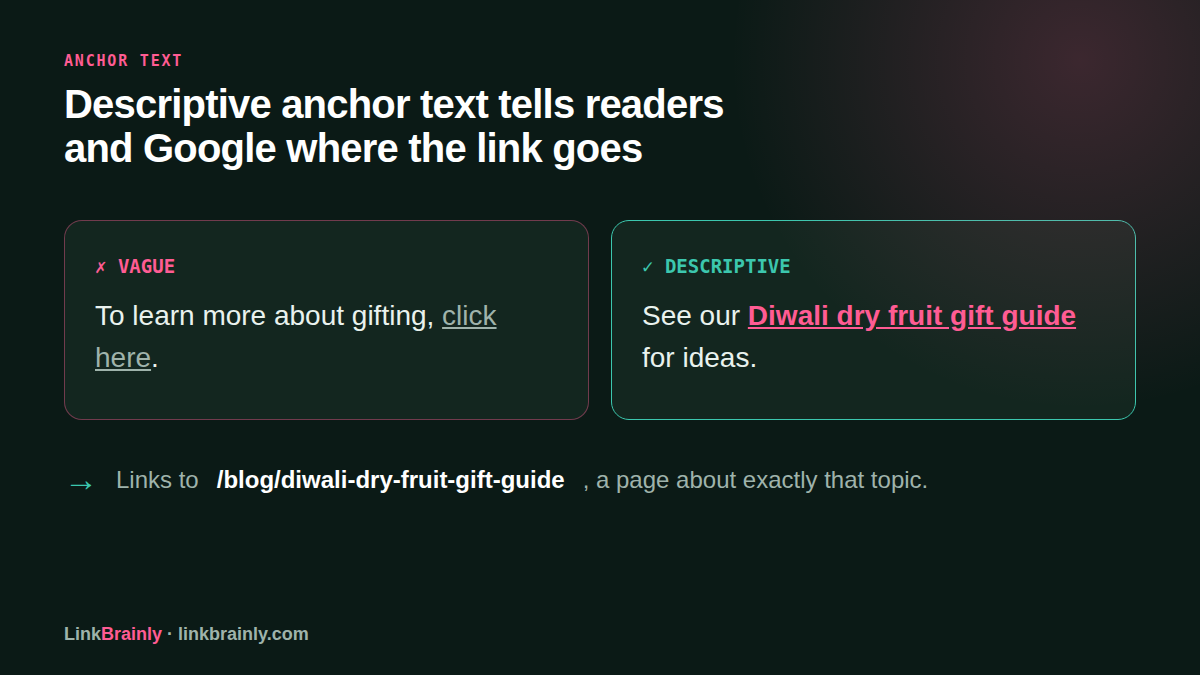
Useful anchor text tells a visitor what they will find after clicking. “Download the returns form” describes a destination better than “click here,” especially for someone scanning the page or using a screen reader.
Keep the wording natural and specific. If an article links to a guide about choosing a laptop, “laptop buying guide” is a clear anchor. A vague phrase such as “learn more” gives little information on its own.
The anchor does not need to match the target page’s focus keyword every time. Use words that fit the sentence and accurately describe the page. Repeating one exact phrase across many links can make the content sound forced and can confuse readers about whether the links lead to different resources.
The best internal hyperlink feels like part of the sentence. A reader should be able to understand the linked phrase and the destination without needing to guess what the page contains.
What Internal Linking Mistakes Should You Check?
Common internal linking problems include broken URLs, pages with no incoming links, vague anchor text, and links that send readers to an irrelevant destination. A review of the site can reveal these issues before they frustrate visitors.
- Open important links and check that each destination loads successfully.
- Look for orphan pages that have no links pointing to them.
- Replace vague anchors such as “click here” with descriptive wording.
- Review links to redirected URLs and update them to the current page where suitable.
- Check that key product, service, and category pages receive relevant links from related content.
If an internal hyperlink leads to a broken page, a visitor may land on an error instead of the information they expect. Update the link to a working destination or, if the old page has moved, use an appropriate redirect and revise links that still point to the old address.
A site audit can help when there are more pages than a person can review by hand. LinkBrainly’s free website audit checks up to 200 pages for internal link and SEO issues, including orphan pages, broken internal links, vague anchors, missing meta descriptions, weak titles, missing alt text, and heavy images.
LinkBrainly can also suggest internal links inside sentences that already exist on your pages. Review suggestions for relevance before adding them. The right link should help a visitor, not interrupt the sentence or point to a page that only shares a keyword.
What Is an Internal Hyperlink: A Quick Checklist
An internal hyperlink connects pages on the same website. Use this checklist when adding or reviewing links:
- Confirm the destination belongs to the same domain.
- Choose a page that genuinely relates to the current topic.
- Use anchor text that describes the destination.
- Test the link after publishing or editing the page.
- Review the site for orphan pages and broken links.
What is an internal hyperlink in one sentence? It is a link from one page on your website to another page on that website. Clear internal hyperlinks help visitors move through related content and make the relationships between pages easier to understand.
For site owners who want to check their pages, the LinkBrainly homepage explains the free audit and the link issues it checks. Clear internal hyperlinks are a practical part of making a website easier to use and maintain.
Follow LinkBrainly on LinkedIn for internal linking and SEO updates.
Frequently asked questions
What is an internal hyperlink?
An internal hyperlink is a clickable link from one page on a website to another page on the same website. It can point to an article, product, category, or a section within the current page.
What is an example of an internal hyperlink?
A blog post about running shoes that links to a shoe category on the same store is an example of an internal hyperlink. A menu item that links to the store’s contact page is another example.
What is the difference between an internal and external hyperlink?
An internal hyperlink points to a page on the same website, while an external hyperlink points to a page on another website. Check the destination domain to tell the difference.
How do I create an internal hyperlink in HTML?
Use an anchor element with an href attribute that contains the destination URL. Put descriptive clickable text between the opening and closing anchor tags, then test the link in a browser.
Do internal hyperlinks help SEO?
Internal hyperlinks help search engines discover pages and understand relationships between pages on a site. They also help visitors reach related information, though a link alone does not guarantee that a page will rank.
What is an orphan page?
An orphan page is a page with no internal links pointing to it from the rest of the website. Adding relevant links from related pages can make the orphan page easier for visitors and search engines to find.