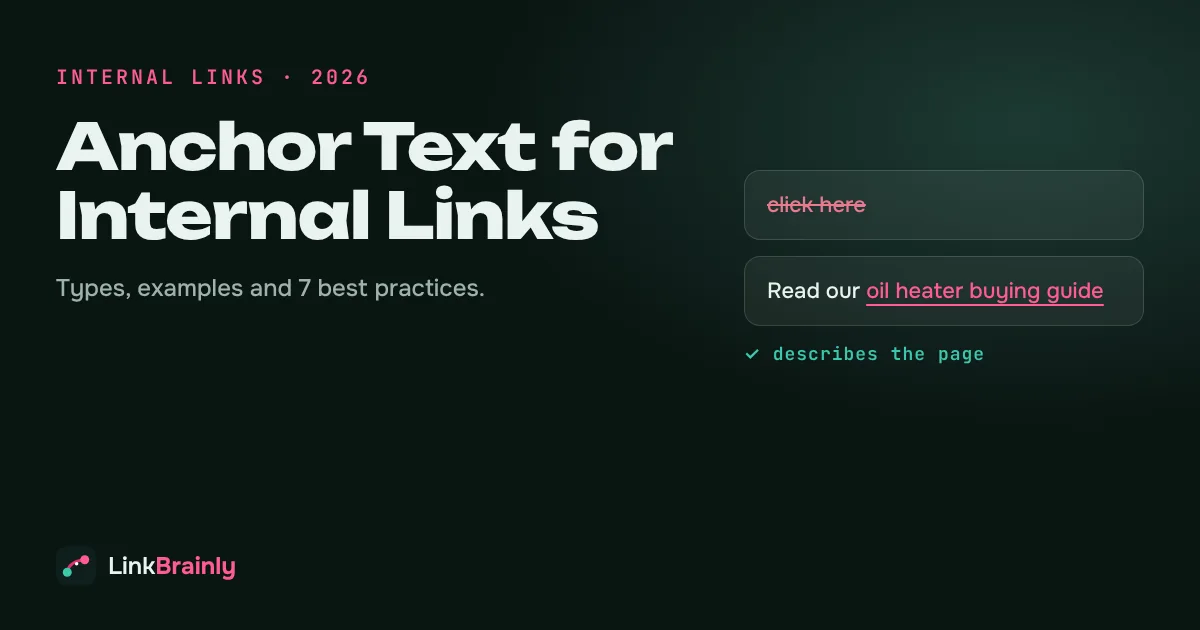
Anchor text is the clickable, visible text of a hyperlink. For internal links, good anchor text tells readers and search engines what the linked page is about in 2 to 5 descriptive words, such as "oil heater buying guide" instead of "click here". Search engines use this, together with the words around a link, to understand the destination page, so the anchors you choose for internal links shape how your pages are understood and ranked.
This guide explains the types of anchors, shows good and bad examples, and gives you seven best practices, a checklist and a way to audit every internal link anchor on your website.
What Is Anchor Text?
Anchor text is the part of a link that a reader sees and clicks. In the HTML code <a href="/blog/orphan-pages">orphan pages guide</a>, the words "orphan pages guide" are the anchor text and /blog/orphan-pages is the destination.
Every link has anchor text, even when the words are poor ones. A bare web address, a "read more" button and a linked image all count. For a linked image, the image's alt text works as its link text, which is one more reason to write alt text that describes the image.
The guide focuses on internal links: links from one page on your website to another page on the same website. You control every one of them, so internal link anchors are the easiest anchors to improve.
Why Does Anchor Text Matter for Internal Links?
Anchor text matters for internal links because it is one of the clearest signals of what a page is about, and you decide it yourself.
- It describes the destination to search engines. Google's own link guidance recommends link text that is descriptive, reasonably concise and relevant to the page it points to. When many internal links describe a page the same way, that description is reinforced.
- It helps readers decide whether to click. "Compare oil heaters by room size" earns more clicks than "learn more", because the reader knows what they will get.
- It supports accessibility. Screen reader users often jump from link to link. A page full of "click here" links is impossible to navigate that way.
- It helps AI answer engines. AI assistants such as ChatGPT and Perplexity read pages in short passages. Descriptive anchors keep a passage meaningful when it is lifted out of the page.
This works best as part of a wider internal linking strategy: the strategy decides which pages link where, and the anchor decides what each link says.
What Are the Types of Anchor Text?
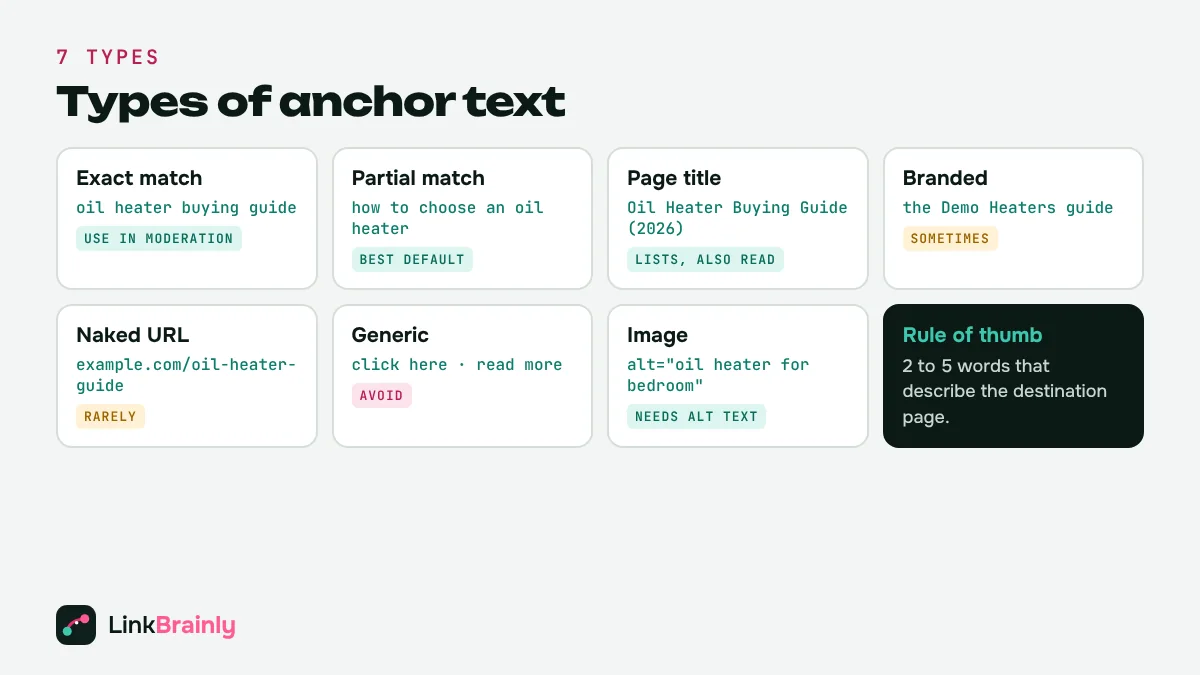
There are seven common types of anchors. A healthy website uses a natural mix of them, with descriptive anchors doing most of the work.
| Type | Example (link to an oil heater guide) | Use for internal links? |
|---|---|---|
| Exact match | oil heater buying guide | Yes, in moderation |
| Partial match | how to choose an oil heater for a bedroom | Yes, the best default |
| Page title | Oil Heater Buying Guide (2026) | Yes, in lists and "Also Read" sections |
| Branded | the Demo Heaters guide | Sometimes, for brand and about pages |
| Naked URL | example.com/oil-heater-guide | Rarely |
| Generic | click here, read more, this page | Avoid |
| Image | the image's alt text | Yes, with descriptive alt text |
What Does Good Anchor Text Look Like?
Good anchor text names the topic of the destination page and fits naturally into the sentence. Bad anchors are vague, too long or misleading. These examples come from the kinds of links LinkBrainly flags in website audits.
| Instead of this | Write this | Why it is better |
|---|---|---|
| To learn more, click here. | Read our oil heater buying guide. | Names the destination topic |
| Read more | How to fix broken internal links | Tells the reader what they will get |
| Shop our best oil heaters for bedrooms with timer, thermostat and child lock under ₹10,000 | Shop our oil heaters for bedrooms | Short enough to scan |
| Heaters (linking to the returns policy) | returns policy | Matches the destination |
| https://example.com/collections/heaters | room heater collection | Readable in body text |
A simple test: cover everything except the linked words. If a reader can still guess what the linked page is about, the anchor works.
How Do You Write Anchor Text for Internal Links? 7 Best Practices
1. Describe the Destination Page
Write anchor text that summarises the page it points to. If the destination is a guide to orphan pages, the anchor should mention orphan pages. Ask: would this anchor make sense as the title of the destination page?
2. Keep Anchor Text Short
Most good anchors are 2 to 5 words. That is a guideline, not a rule: a 7-word anchor that reads naturally is fine, but a whole sentence turned into a link is hard to scan and dilutes the signal.
3. Vary Your Anchors Naturally
Ten links to the same page do not all need identical words. Mix exact match, partial match and page-title anchors, as people do when they write naturally. For example, one page can be linked as "internal linking strategy", "plan your internal links" and "Internal Linking Strategy: A Step-by-Step Guide".
4. Never Use the Same Anchor for Two Different Pages
If "oil heater guide" points to one page in one post and to a different page in another, search engines get mixed signals about which page owns the topic. One topic, one target page, consistently.
5. Put Links in Body Text, Not Only in Menus
Contextual links inside paragraphs carry the most meaning, because the surrounding sentence adds context to the anchor. Navigation and footer links still help discovery, but body links explain relationships between pages.
6. Match the Anchor to the Search Intent
Link product pages with product words ("buy 11-fin oil heater") and guides with question or topic words ("how oil heaters work"). The anchor should promise what the page delivers.
7. Write Descriptive Alt Text for Linked Images
When an image is a link, its alt text acts as the link text. A linked banner with an empty alt attribute is a link with no anchor at all.
What Anchor Text Mistakes Should You Avoid?
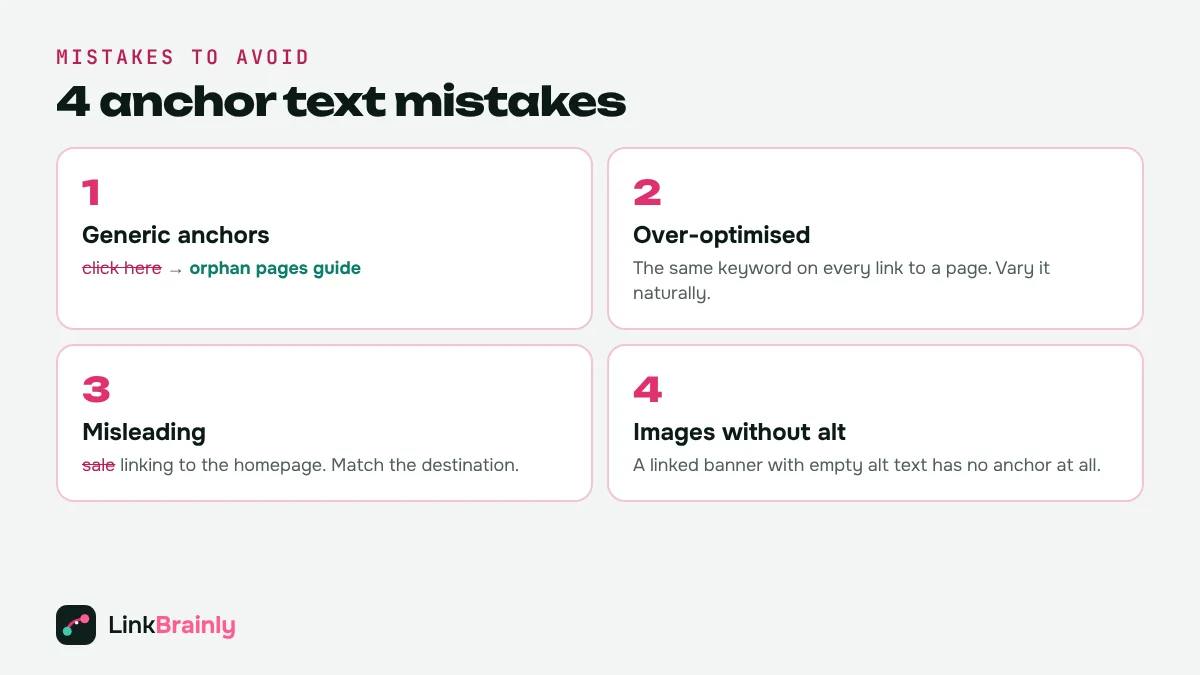
The most common mistakes on the sites we audit are easy to fix once you can see them. LinkBrainly's audit checks every internal link against a list of 37 generic phrases, such as "click here", "read more" and "learn more", and also flags linked images that have no alt text.
- Generic anchors: "click here", "read more", "this", "here". They tell neither readers nor search engines anything.
- Over-optimised anchors: the exact same keyword-heavy phrase on every link to a page. It reads unnaturally and adds little.
- Misleading anchors: link words that promise one thing while the link goes somewhere else, such as a "sale" anchor that opens the homepage.
- Whole-sentence anchors: linking 15 words when 3 would do.
- Linked images without alt text: invisible anchors that waste the link.
- Anchors pointing to broken or redirected pages: the anchor may be perfect, but the link sends readers to an error page or through a redirect chain. Find and fix broken internal links before you polish their anchors.
How Do You Check the Anchor Text on Your Website?
You can check these by hand on a small site, but on a site with hundreds of pages you need a crawler that lists every internal link and its anchor.
- Crawl the site. List every internal link with its source page, destination page and anchor's text.
- Filter generic anchors. Search the list for "click here", "read more", "here", "learn more" and empty anchors.
- Group anchors by destination. For each important page, read all the anchors pointing to it. Are they descriptive and varied?
- Check for conflicts. Find anchors that point to two or more different pages.
- Fix and re-check. Rewrite weak anchors, then crawl again to confirm.
The LinkBrainly AI internal link checker does these steps for you: it crawls your latest 200 pages for free, flags vague anchors such as "click here", and writes this and sentence for every new internal link it suggests.
How Should Shopify Stores and WordPress Sites Handle Anchor Text?
Shopify stores get most internal links from collection grids and menus, where the anchor is the product or collection name. Make those names descriptive ("Oil Heaters for Bedrooms" rather than "Collection 3"), and add links with descriptive anchors inside product descriptions and blog posts to your key collections.
WordPress sites often have "Read more" buttons on every postcard. Change the button text to include the post title, or make the post title itself the link. When you add links in the block editor, highlight the descriptive words, not "here".
On both platforms, linked images and banners need alt text, because that alt text becomes the link's anchor.
Anchor Text Checklist
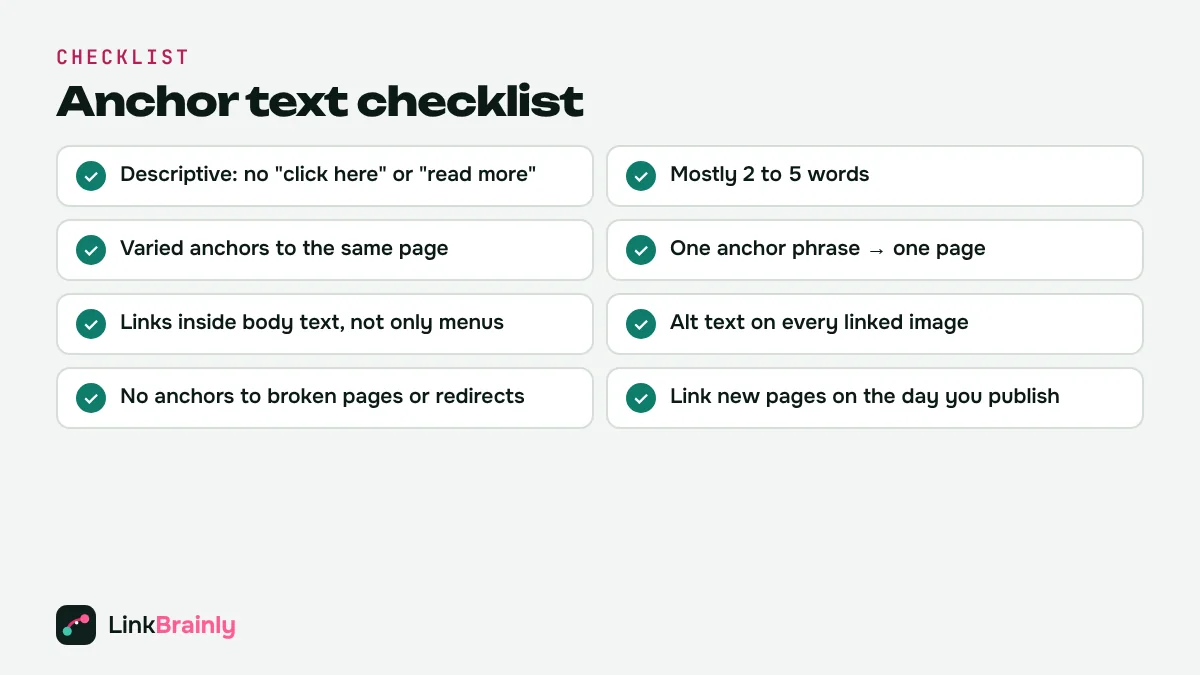
- Every internal link has a descriptive anchor, with no "click here" or "read more".
- Most anchors are 2 to 5 words and fit naturally into the sentence.
- Anchors to the same page are varied, not copied word for word.
- No anchor's text points to two different pages.
- Important pages have several contextual links from body text.
- Every linked image has descriptive alt text.
- No anchor points to a broken page or a redirect.
- New pages get descriptive internal links on the day they are published.
Want to see every weak anchor on your site? Run the free LinkBrainly audit and get the exact wording for each missing internal link in about two minutes. For short SEO tips every week, follow LinkBrainly on LinkedIn.
Also Read
- Internal Linking Strategy: A Step-by-Step Guide (2026)
- Orphan Pages: How to Find and Fix Them (2026 Guide)
- Broken Internal Links: How to Find and Fix Them (2026)
- What Is an Internal Link? A Plain-English Guide with Examples
Updated November 2026 · By Vipul Chaudhary, founder of LinkBrainly
Frequently asked questions
What is anchor text?
Anchor text is the visible, clickable text of a hyperlink. In "Read our oil heater buying guide", the linked words "oil heater buying guide" are the anchor text. Search engines use it to understand what the linked page is about.
What is a good anchor text example for an internal link?
A good internal link anchor describes the destination page in 2 to 5 words, such as "fix broken internal links" or "oil heaters for bedrooms". A bad example is "click here", which tells readers and search engines nothing about the page.
How long should anchor text be?
Most good anchors are 2 to 5 words. Longer anchors are fine when they read naturally, but turning a whole sentence into a link makes it hard to scan and weakens the signal.
Is exact match anchor text bad for internal links?
No. Exact match anchors are fine for internal links when used naturally. Mix them with partial match and page-title anchors instead of repeating one keyword phrase on every link to a page.
Does image alt text count as anchor text?
Yes. When an image is a link, its alt text works as the anchor text. A linked image with empty alt text is a link without any descriptive words
How do I find bad anchor text on my website?
Crawl your site and list every internal link with its anchor text, then filter for generic phrases such as "click here" and "read more". LinkBrainly's free audit does this automatically for your latest 200 pages and suggests better anchors.