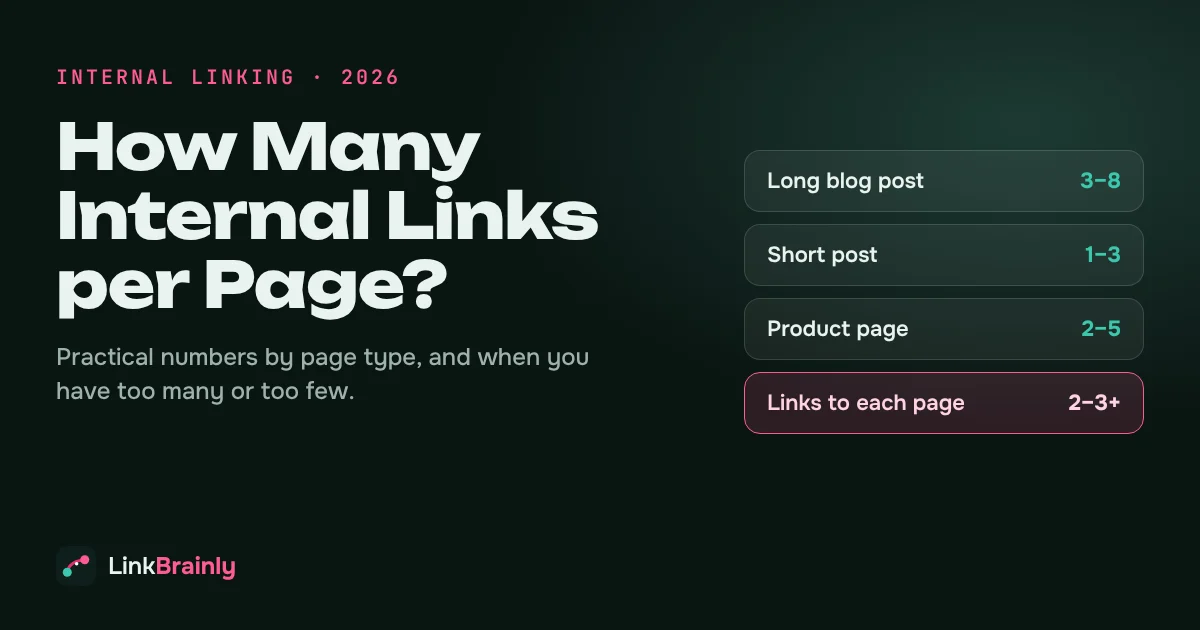
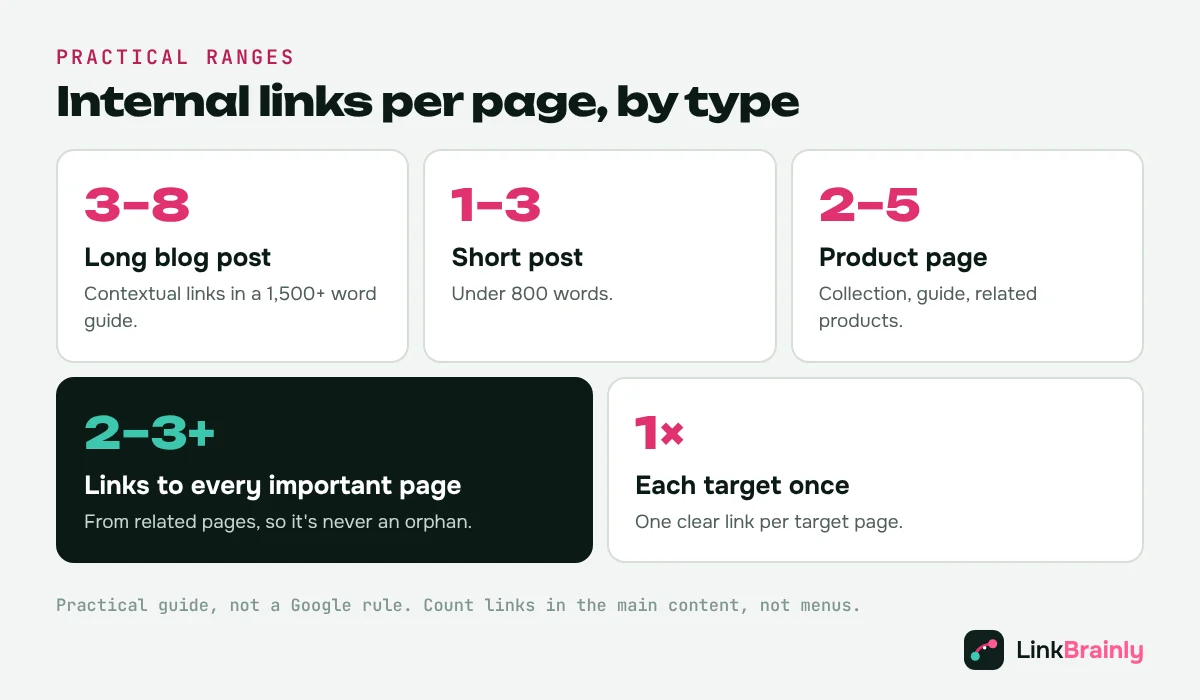
There is no fixed number of internal links per page that Google requires or rewards. As a practical guide, a long blog post usually reads naturally with 3 to 8 contextual internal links, a product page with 2 to 5, and every important page should receive links from at least 2 or 3 other pages. The right number of internal links depends on how long the page is, what type of page it is, and whether each link actually helps the reader.
This guide explains how many internal links make sense for each page type, the difference between links on a page and links to a page, how to tell when a page has too many or too few, and how to count the internal links on your own site.
Is There an Ideal Number of Internal Links Per Page?
No. Google has not published a limit or an ideal number of internal links on every page. Very old webmaster advice suggested keeping a page under about 100 links, mainly because pages and crawlers were smaller then. Today Google can handle far more links on a page, and the useful question is not "how many?" but "does each link help someone?"
Two things still matter:
- Every link shares the page's attention. Search engines treat the links on a page as signals about which pages matter. Ten focused links say more than 300 links in a footer.
- Readers can only follow so many. A paragraph with five links in it is hard to read, and most of those links won't be clicked.
If internal links are new to you, start with what an internal link is, then come back to the numbers.
Links on a Page Vs Links to a Page
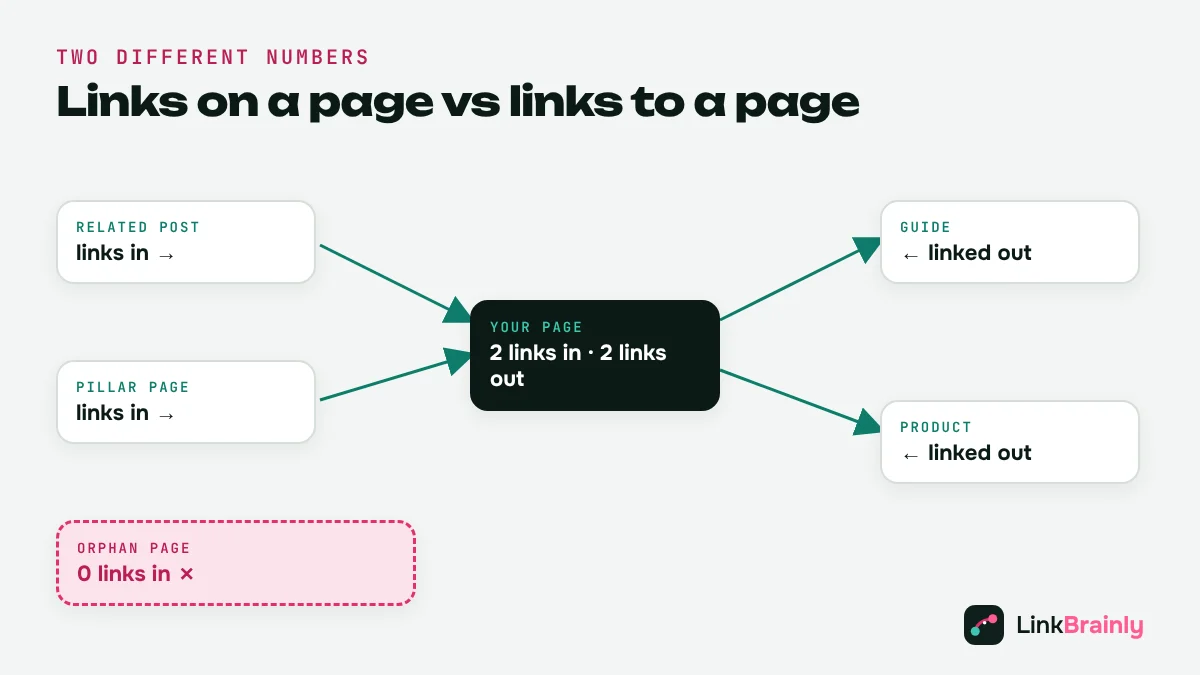
When people ask how many internal links per page they need, they usually mean one of two different things:
- Outgoing internal links: the links a page sends to other pages on your site. This is what you control while writing.
- Incoming internal links: the links other pages on your site send to this page. This is what tells Google the page matters.
Incoming links are the number most sites get wrong. A page can contain a perfect set of outgoing links and still be invisible because nothing links to it. A page with zero incoming internal links is an orphan page.
How Many Internal Links Per Page by Page Type
These ranges count contextual links, meaning links inside the main content, not menus, footers or sidebars. They are practical starting points from editorial experience, not rules from Google.
| Page type | Outgoing contextual links | Incoming links to aim for |
|---|---|---|
| Long blog post or guide (1,500+ words) | 3 to 8 | At least 2–3 from related posts |
| Short blog post (under 800 words) | 1 to 3 | At least 2 from related posts |
| Pillar page | One to every post in its cluster | From every post in the cluster, plus the homepage or menu |
| Product page | 2 to 5 (collection, guide, related products) | From its collection and at least one guide or related product |
| Category or collection page | Related collections and a buying guide | From the menu, the homepage and relevant posts |
| Homepage | Pillars, top categories and money pages | Every page links home through the logo or breadcrumb |
Our guides to WordPress internal linking and Shopify internal linking show how to apply these numbers on each platform.
Example: Internal Links Per Page in a 1,500-Word Guide
Here is how the internal links add up in a typical 1,500-word guide called "How to Compost in an Apartment" on a gardening site:
- In the introduction, one link to the pillar page, "complete composting guide".
- In the section on bins, one link to "best compost bins for balconies".
- In the section on what to add, one link to "what not to compost".
- In the section on smells, one link to "how to stop compost from smelling".
- In the conclusion, one link to the product or service the site sells, such as "balcony compost bin".
That is 5 outgoing contextual links, one per section, each with a descriptive anchor. Then 3 older posts on the same topic link back to the new guide, and the pillar page lists it. This pattern of internal links per page keeps the guide readable and makes sure it isn't an orphan.
Do Menu, Footer, and Sidebar Links Count?
Yes, they are internal links, and search engines see them. But they repeat on every page, so they carry less meaning than a link placed in a relevant sentence. When you count internal links for page for planning, count the contextual links in the main content separately. A page can have 80 links in its navigation and still have zero contextual links, which is a common gap on store and blog templates.
How Do You Know a Page Has Too Many Internal Links?
A page probably has too many internal links when:
- Several links in one paragraph point to different pages, so none of them stands out.
- The same page is linked many times with different anchors.
- Links point to pages that aren't closely related, just to "add links".
- An automatic plugin has turned every mention of a keyword into a link.
- The footer or mega menu lists hundreds of pages.
The fix is to keep the links that help the reader take the next step and remove the rest. Linking the same target once per page, with a clear anchor, is usually enough. Our guide to anchor text for internal links explains how to choose those words.
How Do You Know a Page Has Too Few Internal Links?
A page has too few internal links when:
- No other page links to it, or only the menu and sitemap do.
- It is a long post that links to nothing, which leaves readers at a dead end.
- It ranks on page 2 of Google and nothing on your site points to it with a descriptive anchor.
- It is a product or service page that no guide or blog post mentions.
Pages that are close to page 1 of Google often move up after they receive a few relevant internal links from strong pages on the same site, because those links tell Google the page matters. The internal linking strategy guide shows how to choose which pages to link from.
How Do You Count the Internal Links Per Page?
You can count internal links page in three ways:
- By hand: open the page, read the main content and count the links that go to your own domain. This works for a few pages.
- With your SEO plugin: some WordPress SEO plugins show a count of internal links in each post's list view.
- With a site audit: a crawler counts outgoing and incoming internal links for every page at once and flags pages with none.
The third way is the only one that shows incoming links, because it has to read every page to know which pages link where. The LinkBrainly AI internal link checker crawls your latest 200 pages for free, shows how many contextual links each page sends and receives, flags orphan pages and weakly linked pages, and suggests the exact sentence and anchor for each missing link.
Do Internal Links Per Page Matter for AI Search?
Yes, in the same way they matter for Google. AI assistants such as ChatGPT, Gemini, and Perplexity rely on search indexes and their own crawlers, and those crawlers also discover pages by following links. A page with no incoming internal links is harder for any crawler to find, and a page buried deep in your site is crawled less often. Getting the internal links on page right won't guarantee an AI citation, but an orphan page is unlikely to be cited at all.
Internal Links Per Page: Best Practices
- Link where the topic comes up: the best place for a link is the sentence that mentions the linked page's topic.
- Put important links early: a link in the first few paragraphs gets seen and clicked more often than one at the bottom.
- Link each target once: one clear link per target page is usually enough.
- Use descriptive anchors: 2 to 5 words that describe the destination, not "click here".
- Give every new page incoming links: on the day you publish, link to it from 2–3 related older pages, as the SEO for blogs checklist explains.
- Review links when content changes: deleted or renamed pages turn links into dead ends.
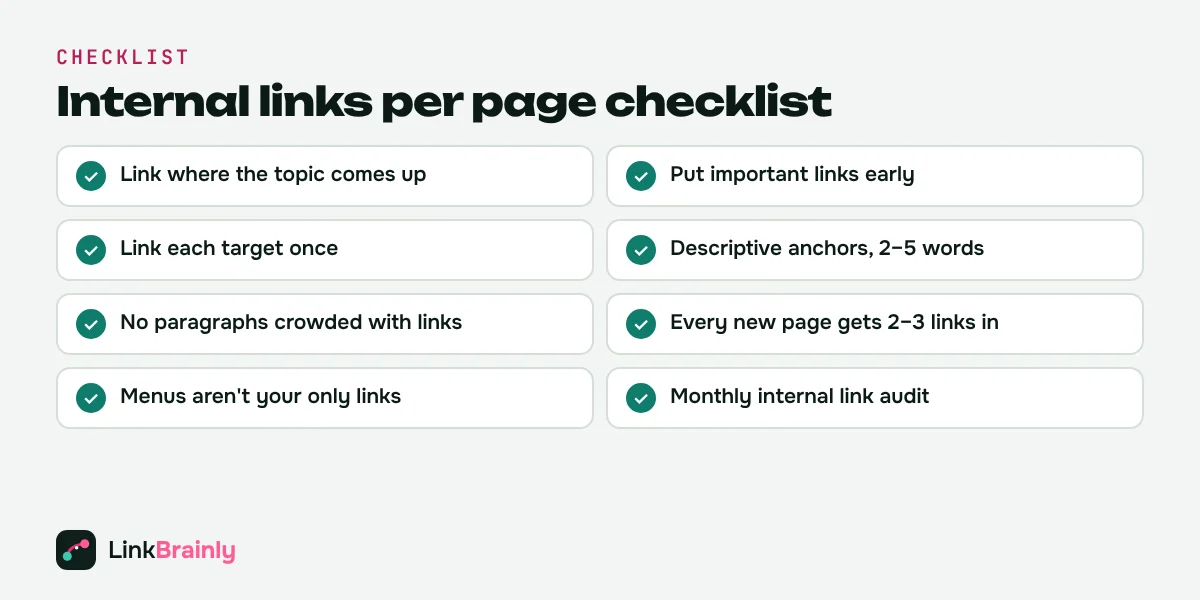
Internal Links Per Page Checklist
- Long posts carry 3–8 contextual internal links; short posts 1–3
- Product pages link to their collection, a guide and 1–3 related products
- Every important page receives links from at least 2–3 other pages
- No orphan pages
- Each target is linked once per page, with a descriptive anchor
- No paragraphs crowded with links
- Menus and footers are not your only internal links
- An internal link audit runs every month
Want to see how many internal links each of your pages sends and receives? Run a free internal link audit, and follow LinkBrainly on LinkedIn for more internal linking tips.
There's no magic number of links a page needs. Google sets no limit, but practical ranges help: three to eight contextual links in a long post, two to five on product pages. Just as important, every key page should receive links from two or three related pages, so it's never orphaned.
Also Read
- SEO for Blogs: A 17-Step Checklist That Gets Posts Ranked
- WordPress Internal Linking: A Complete Guide (2026)
- Internal Linking Strategy: A Step-by-Step Guide (2026)
- Orphan Pages: How to Find and Fix Them (2026 Guide)
Updated November 2026 · By Vipul Chaudhary, founder of LinkBrainly
Frequently asked questions
How many internal links per page is ideal?
There is no ideal number set by Google. As a practical guide, a long blog post reads naturally with 3 to 8 contextual internal links, a short post with 1 to 3 and a product page with 2 to 5. Every important page should also receive links from at least 2 or 3 other pages.
Can a page have too many internal links?
Yes, when links crowd paragraphs, repeat the same target, point to unrelated pages or come from automatic keyword linking. Each extra link shares the page's attention, so keep the ones that help the reader take the next step.
Do navigation and footer links count as internal links?
Yes, search engines see them, but they repeat on every page and carry less meaning than a link in a relevant sentence. Count contextual links in the main content separately when planning.
How many internal links should point to a page?
Aim for at least 2 or 3 contextual links from related pages for every important page. A page with no incoming internal links is an orphan page and is hard for search engines to find.
Is there a 100 internal links per page limit?
No. Old webmaster advice suggested keeping pages under about 100 links, but Google has no published limit today. Focus on whether each link helps the reader.
How do I count the internal links on my pages?
Count links in the main content by hand for a few pages, check your SEO plugin's link counts, or run a site audit. LinkBrainly's free audit shows the outgoing and incoming internal links for each of your latest 200 pages.