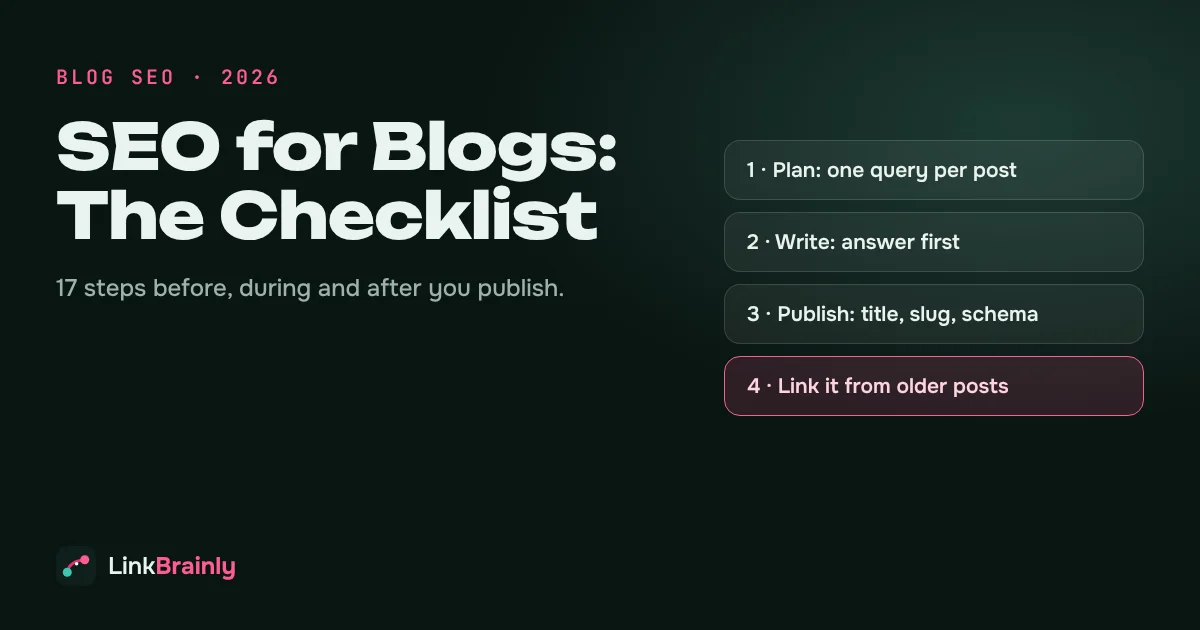
SEO for blogs is the set of steps that helps a blog post rank on Google and get quoted by AI assistants: choosing one search query per post, matching what the searcher wants, writing a clear title and headings, and linking the post into the rest of your site. Most blog posts that never rank skip the last step. They are published, shared once and left with no internal links pointing to them.
This blogs checklist covers what to do before you write, while you write, before you publish and after you publish. Each step is short and practical, and it works the same on WordPress, Shopify, Webflow or any other platform.
What Is SEO for Blogs?
SEO for blogs means optimising each blog post so that search engines understand what it is about, see that it answers a real question well, and can reach it from other pages on your site. Blog SEO is not a trick or a plugin setting. It is the combination of three things:
- Relevance: the post targets one clear search query and answers it directly.
- Quality: the post is accurate, specific and written by someone who knows the topic.
- Connections: other posts and pages link to it, and it links on to related content.
Good SEO also helps with AI search. ChatGPT, Gemini and Google's AI Overviews lift short, self-contained passages that answer a question, so a post that answers first and explains second is easier for them to quote.
Why Do Most Blogposts Never Rank?
Most blogposts never rank for one of four reasons:
- No clear target: the post covers a topic, not a question people actually search.
- Wrong format: the searcher wants a list or a how-to, and the post is an opinion piece (or the reverse).
- Two posts on the same query: two similar posts compete with each other and neither ranks well.
- Orphan posts: nothing on the site links to the post, so Google treats it as unimportant. Learn how to find and fix orphan pages.
The SEO for blogs checklist below fixes all four.
Before You Write: SEO for Blogs Planning
1. Pick One Search Query Per Post
Choose the one query this post should rank for, such as "how to compost in an apartment". Write it at the top of your draft. If two of your posts would target the same query, merge them into one stronger post.
2. Check What Google Already Shows
Search the query and look at the top results. If they are step-by-step guides, write a guide. If they are product lists, write a list. Matching the format Google already rewards is one of the fastest SEO for blogs wins.
3. List the Questions the Post Must Answer
Note the follow-up questions a reader will have, from the "People also ask" box and from your own experience. Each one becomes a heading or an FAQ.
4. Plan Your Internal Links First
Before writing, decide which existing posts this new post will link to, and which older posts will link back to it. Planning links early is easier than adding them later. Our guide to building an internal linking strategy explains how posts, pillars and categories fit together.
While You Write: On-Page SEO for Blogs
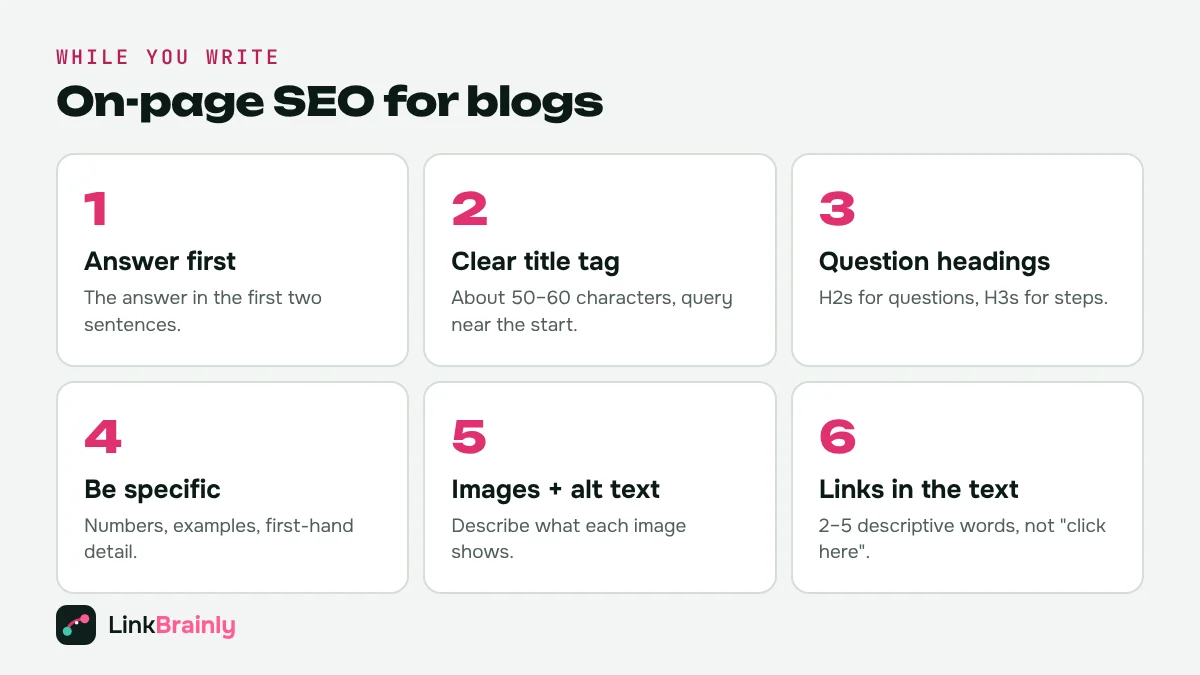
5. Answer the Question in the First Two Sentences
Start with the answer, then explain. "To compost in an apartment, use a sealed bin with a carbon layer and empty it every two weeks" beats three paragraphs of introduction. Readers stay, and AI assistants can quote it.
6. Write a Clear Title Tag and H1
Put the main query near the start of the title and keep the title to roughly 50–60 characters so it isn't cut off in search results. The H1 on the page can be slightly longer and more natural.
7. Use Descriptive Headings
Use H2s for the main questions and H3s for the steps inside them. Headings phrased as questions work well for SEO for blogs, because they match how people search.
8. Be Specific
Numbers, examples and first-hand detail make a post more useful and more quotable. "Empty the bin every two weeks" is better than "empty it regularly". Mention who is writing and why they know the topic.
9. Add Images With Alt Text
Use images that explain something, such as a diagram or a screenshot, and write alt text that describes what the image shows. Compress images so the page loads fast.
10. Link to Relate Posts in the Text
Add links where a related topic comes up, using 2 to 5 descriptive words as the link, not "click here". See our guide to anchor text for internal links for examples.
Before You Publish: Technical SEO for Blogs
11. Use a Short, Readable URL
Keep the slug short and close to the query, such as /blog/compost-in-an-apartment. Avoid dates and stop words in the slug, and don't change it after publishing unless you add a redirect.
12. Write a Meta Description
Write a one- or two-sentence summary that tells the searcher exactly what they will get. Google doesn't always show it, but a clear meta description often improves clicks.
13. Add Article and FAQ Schema
Most SEO plugins and blog platforms add Article schema automatically. If your post has an FAQ section, add FAQ schema that matches the visible questions and answers.
14. Put the Post in One Category
Use one main category per post and keep categories few. Avoid creating a new tag for every post, because hundreds of one-post tag pages are thin pages that add little value.
After You Publish: Internal Linking for Blog SEO
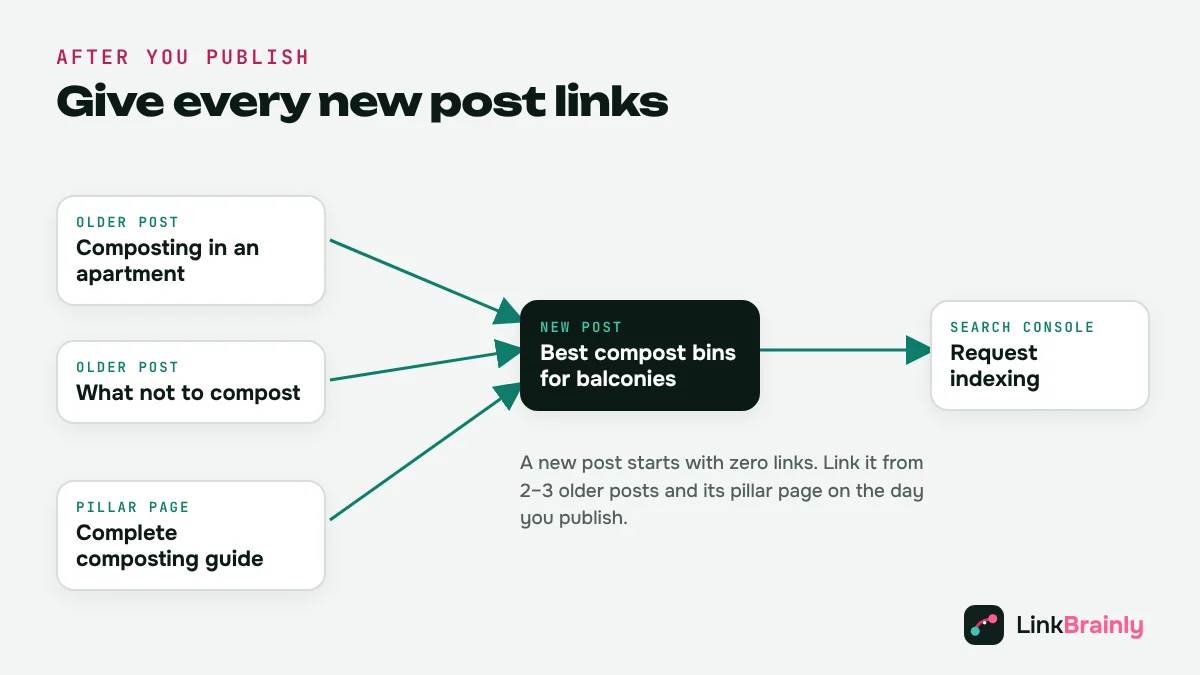
This is the step most blogs skip, and it is where SEO for blog is usually won or lost. A new post starts with zero links pointing to it.
15. Link the New Post From 2–3 Older Posts
Open two or three older posts on the same topic and add a link to the new post where it fits naturally. This tells Google the new post matters and sends readers to it.
16. Link It From Your Pillar Page
If the post belongs to a topic cluster, add it to the pillar page that covers the whole topic, and make sure the post links back to the pillar.
17. Submit and Check Indexing
Your sitemap usually updates automatically. For important posts, use the URL Inspection tool in Google Search Console to request indexing, then check a few days later that the post is indexed.
On WordPress, our WordPress internal linking guide shows how to add these links in the block editor step by step.
How Do You Keep Old Blogposts Ranking?
You keep old blogposts ranking by updating them, not just publishing new ones. Every few months, check which posts are losing clicks in Google Search Console, update their facts and examples, add links to newer posts, fix broken links, and change the "updated" date only when you have made real changes. Posts that cover the same query should be merged, with a 301 redirect from the weaker one.
How Long Does SEO Work?
SEO for blogs usually takes weeks to months to show results, not days. A new post on an established site with good internal links can be indexed within days and start picking up impressions within a few weeks. A post on a new site, or a post that nothing links to, can take much longer.
Google doesn't publish a fixed timeline, so judge progress in Search Console: first the post is indexed, then it gets impressions, then clicks. If a post has impressions but few clicks after two or three months, improve its title and opening answer. If it has no impressions at all, check that it is indexed and that other posts link to it.
SEO for Blogs Mistakes to Avoid
- Writing for keywords, not questions: stuffing a phrase into every paragraph reads badly and doesn't help.
- Long introductions: readers and AI assistants both look for the answer first.
- Publishing and forgetting: a post with no internal links is an orphan from day one.
- Broken links in old posts: deleted or renamed posts leave dead ends. Learn how to fix broken internal links.
- Too many thin tag pages: one tag per post creates hundreds of pages with no real content.
How Do You Check SEO for Blogs Across Your Whole Site?
You check SEO across your whole site with an audit that crawls every post and lists the problems in one place: missing titles and meta descriptions, thin posts, orphan posts, broken links and posts that link to nothing. The LinkBrainly AI internal link checker does this for your latest 200 pages for free and writes the missing internal links for you, with the sentence and anchor text for each. To check how ready a single post is for AI answers, use the free GEO score checker.
SEO for Blogs Checklist
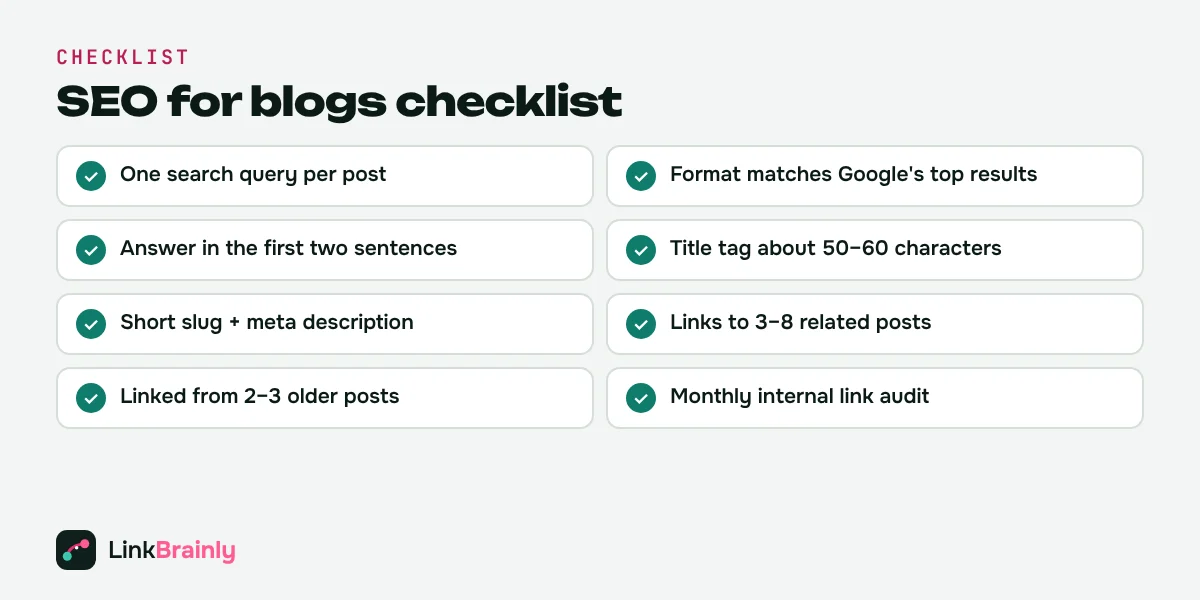
- One search query per post, and no two posts on the same query
- Format matches what Google already shows for that query
- The answer is in the first two sentences
- Title tag of about 50–60 characters with the query near the start
- Question-style H2s and step H3s
- Specific numbers,examples,s and first-hand detail
- Images with descriptive alt text
- Short slug and a clear meta description
- Links to 3–8 related posts in the text
- The new post is linked from 2–3 older posts and its pillar page
- Old posts updated every few months
- An internal link audit every month
Want to see which of your blogposts are orphaned or missing links? Run a free SEO audit, and follow LinkBrainly on LinkedIn for more SEO tips.
Also Read
- WordPress Internal Linking: A Complete Guide (2026)
- Internal Linking Strategy: A Step-by-Step Guide (2026)
- Orphan Pages: How to Find and Fix Them (2026 Guide)
- Anchor Text for Internal Links: Types, Examples and Best Practices
Updated November 2026 · By Vipul Chaudhary, founder of LinkBrainly
Frequently asked questions
What is SEO for blogs?
SEO for blogs is optimising each blog post so search engines understand what it is about, see that it answers a real question well, and can reach it from other pages. It combines one clear target query, a direct answer, clear headings and internal links.
How do I make my blog posts rank on Google?
Target one search query per post, match the format Google already shows for it, answer the question in the first two sentences, write a clear title and headings, and link the post from 2–3 older posts and its pillar page.
How long does SEO for blogs take to work?
Usually weeks to months. A new post on an established site with good internal links can be indexed within days and get impressions within a few weeks; new sites and posts with no internal links take longer. Track progress in Google Search Console.
How many internal links should a blog post have?
There is no fixed number. As a rough guide, link to 3–8 related posts in a long post, and make sure 2–3 older posts link to every new post.
Do I need an SEO plugin for my blog?
A SEO plugin helps with titles, meta descriptions, sitemaps, and schema, but it doesn't write your answers or add internal links for you. The writing and linking steps in this checklist still matter most.
Does blog SEO help with AI search like ChatGPT?
Yes. AI assistants quote short, self-contained passages that answer a question, so posts that answer first, use clear headings and are well linked are easier for them to find and cite.